Main Menu Flyout
This flyout is opened by clicking one of the module buttons in the Control Panel.
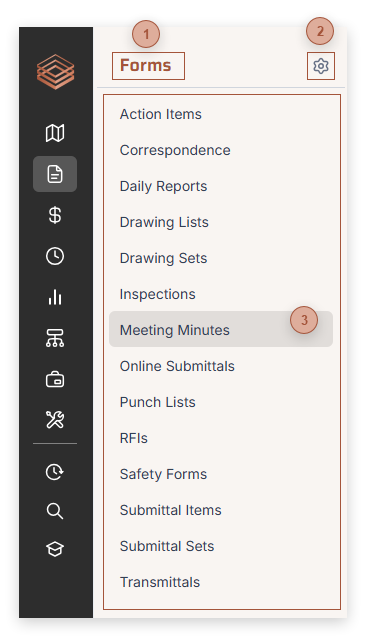
 Module Name This displays the name of the module you clicked on in the Control Panel
|
 Menu Items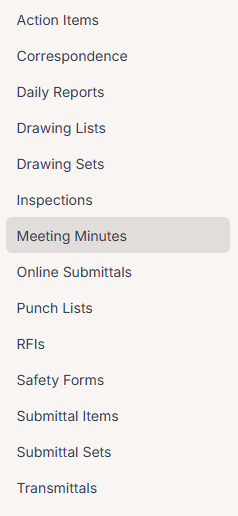 Clicking a menu item closes the flyout and navigates to the selected item. An option in your Profile lets you navigate directly to your last opened record of the type you select, rather than to the Manager page for it, which is the default behavior.
|
 Edit Button Click this button to edit which menu choices appear in the flyout. When you click the Edit button, a star appears next to each item:
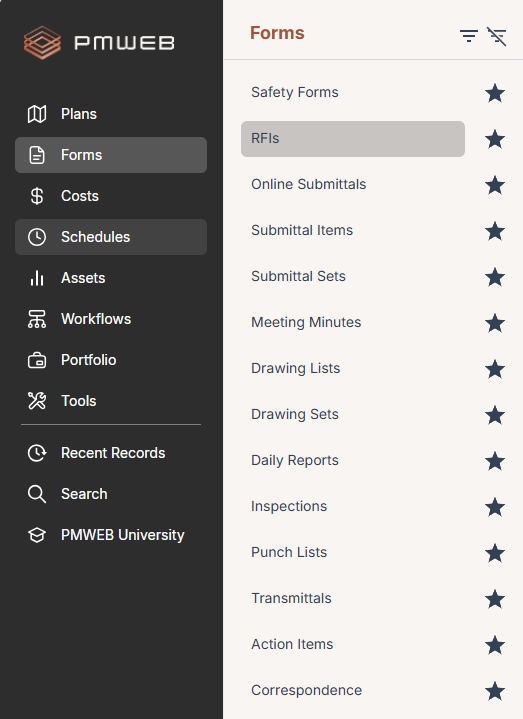 Click the star to toggle off an item you don't want to see and then click the Show Favorites button:
 The stars are hidden and only items with their stars toggled on show in the flyout. To return to showing all of your menu items, as well as section headers, click the Edit button again and this time click on the Show All button:
 The stars are hidden and the menu returns to your original view.
An option in your Profile lets you sort menu items alphanumerically when you are in Show Favorites mode.
|