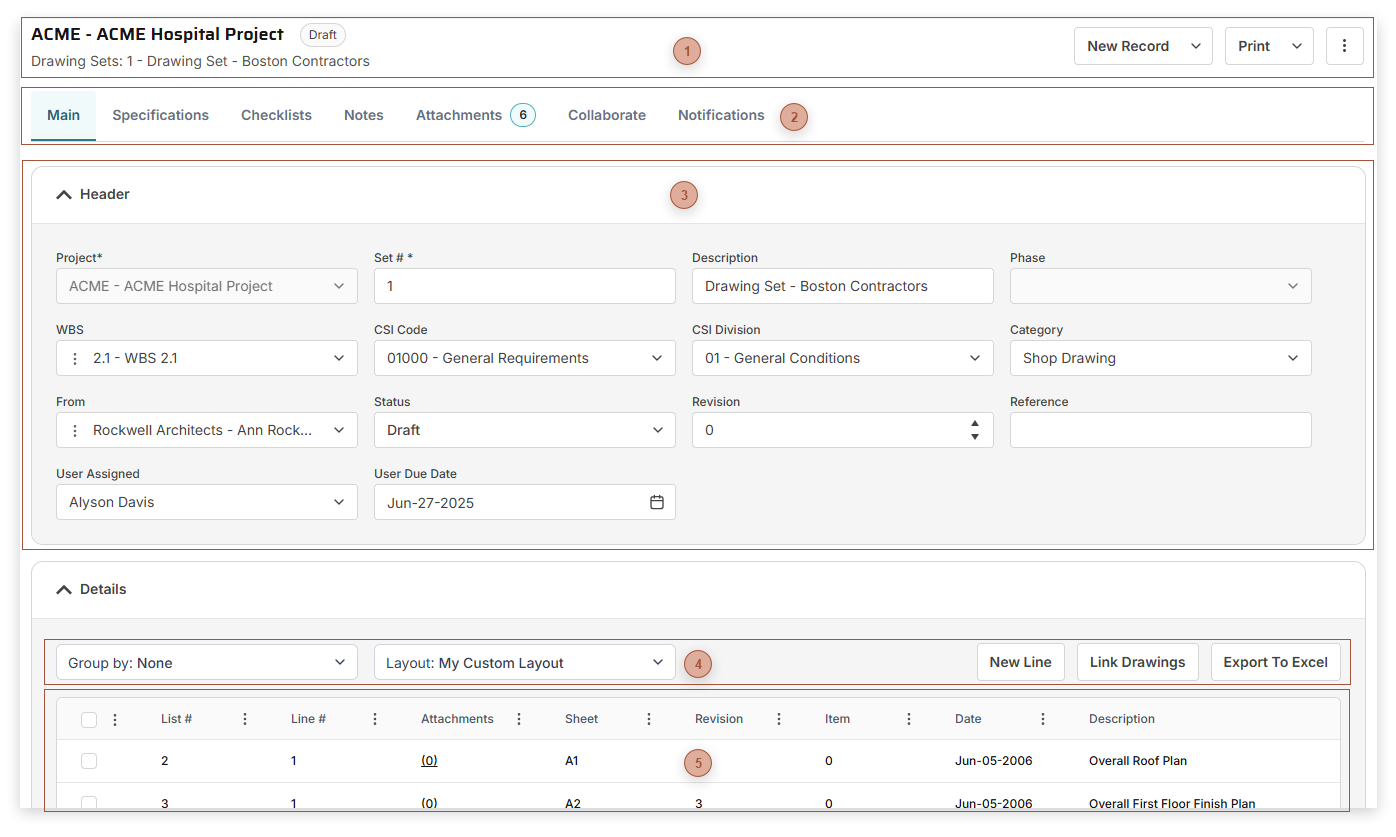
Use Drawing Sets to track, create, and group Drawing Lists records. Page Title Section |
 Record Tabs |
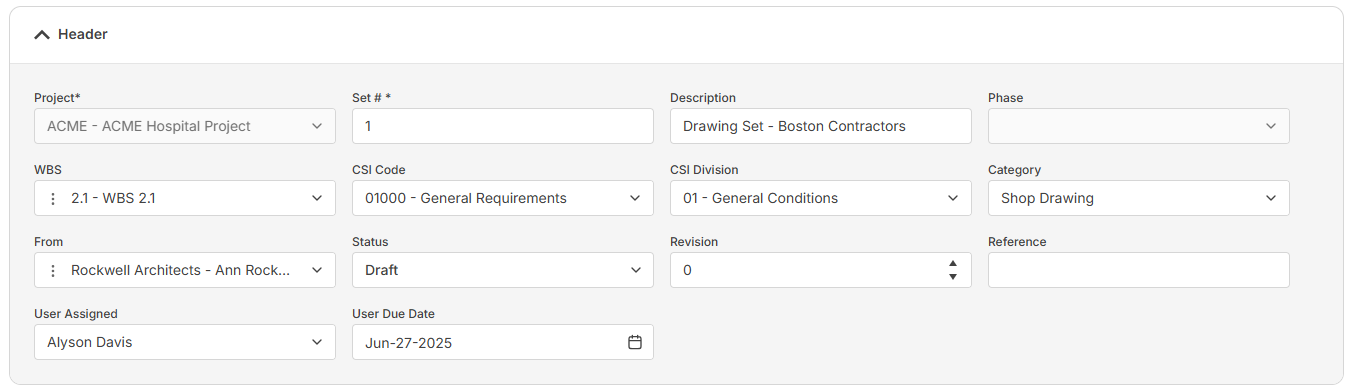
 Header Fields Section
The fields shown vary depending on your security settings and may include:
-
-
Set # Field - Required. An alphanumeric ID for the record
-
-
-
-
-
-
-
-
-
-
-
|
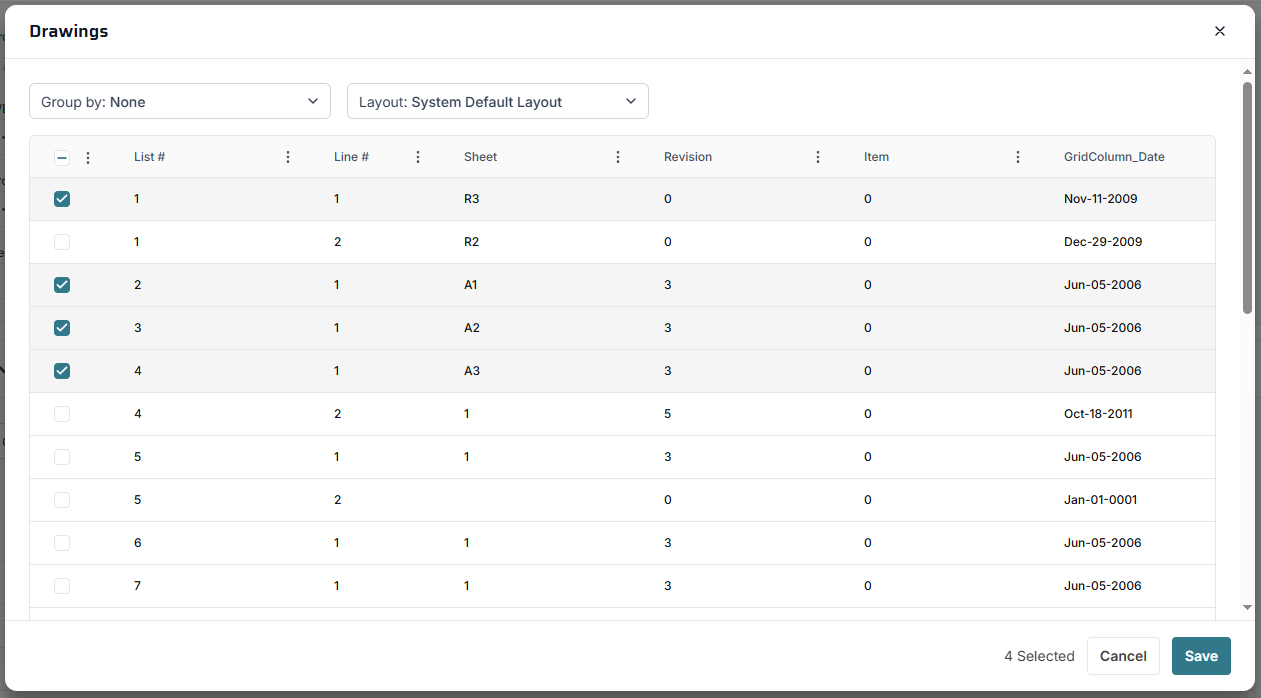
 Details Table ToolbarLink Drawings Button - Click this button to open the Link Drawings dialog:
Select one or more drawings in the table and then click Save to link them to the record.
|
 Details Section-
New Line Button - Note that adding a line in this table also creates a record in Drawing Lists.
-
Link Drawings Button - Click this button to open the Link Drawings Dialog. The dialog displays all of the Drawing Lists records for the current project. Select each Drawing List you wish to link to the Drawing Set and then click the Save button. The dialog closes and the selected lines appear as new lines in the Details table.
The fields that are shown vary, depending on your security settings and the selected layout and may include:
-
List # Field - Read only. The ID of the linked Drawing Lists record. Click the link to navigate to the record. -
-
-
Sheet Field - Enter an alphanumeric sheet ID here
-
-
-
-
-
-
-
-
-
-
-
% Field - Enter a percent complete for the line here
-
|
|