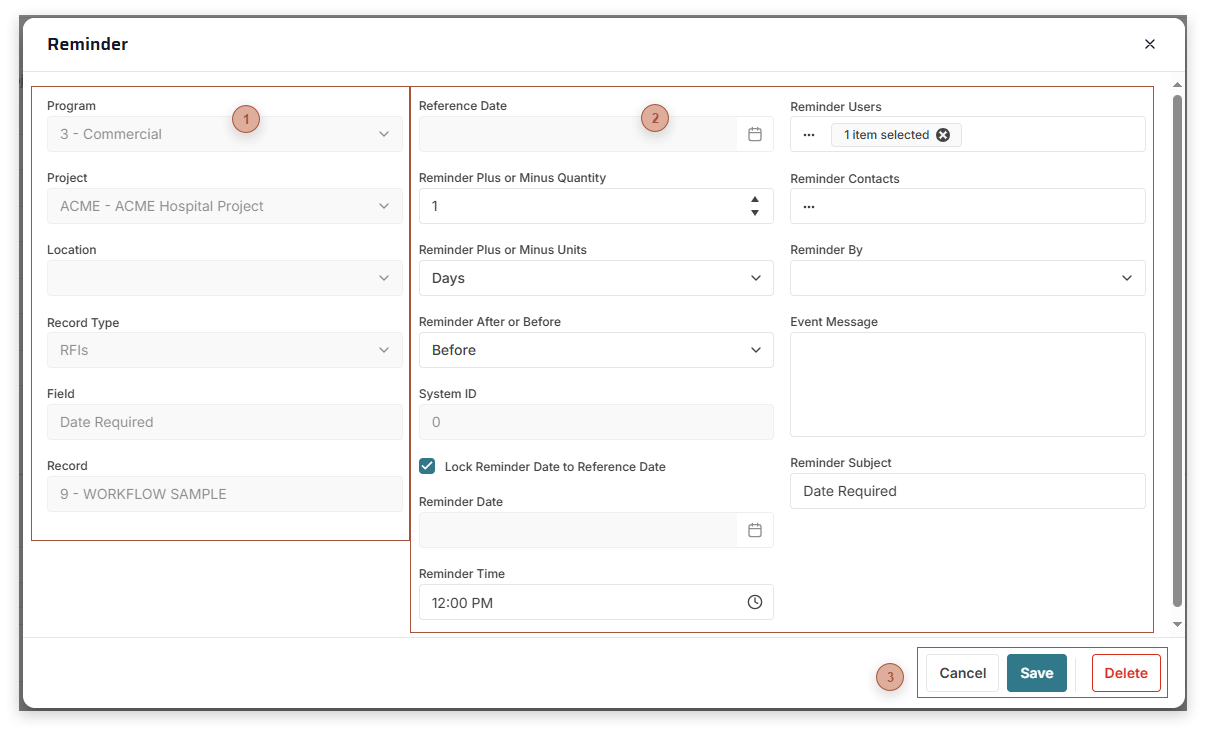
Throughout PMWEB you can define a special type of notification called a Reminder using the Define Reminder Dialog. A Reminder alerts you, and/or others you designate, with a message a certain number of days before, on, or after a trigger date. The message can be in the form of an email or as a PMWEB Event (see Portfolio / Events). Reminders can be linked to a program, project, location, record type, record, record field, or none of the above. The Define Reminder Dialog can be opened by right-clicking on most date fields in records. This links the Reminder to that date field by default. If the date is edited in the record the Reminder will automatically change to match it.
This dialog can also be opened by using the Ctrl + Alt + E shortcut key combination, anywhere in the platform. If your cursor is in a date field when you use the shortcut key combination, the reminder is linked to the date field by default.
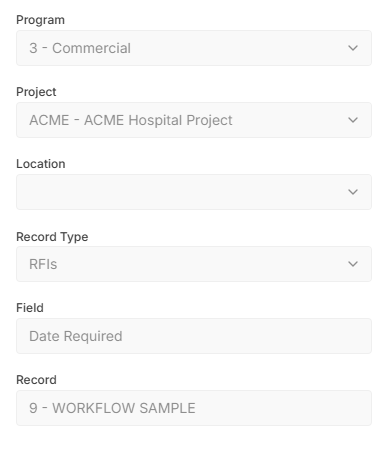
Linked To Section
Use this section to link the Reminder to a level. Reminders can be linked to a program, project, location, record type, record, field, or none of the above. Only Reminders that are created by right-clicking on a date field can be linked to a specific record and field.
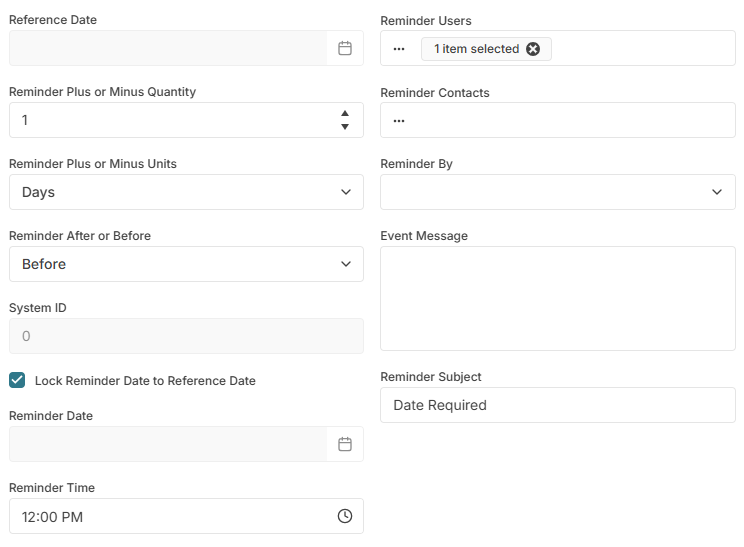
Reference Date - This field only appears if the Reminder is created by right-clicking on a date field and is locked at that date. If the date is edited in the record, and "Lock" is on in the Reminder Date field, this field is automatically updated in the Reminder.
Reminder Plus or Minus Quantity - The number of units before or after the Reference Date to trigger the reminder
Reminder Plus or Minus Units - Days, Months, Weeks, or Years
Reminder After or Before - Trigger reminder before or after the Reference Date
System ID - Read only. A sequential number assigned by PMWEB.
Lock Reminder Date - If checked, the reminder date automatically changes whenever the Reference Date changes
Reminder Date - If the Reminder is created using the "Create Reminder" menu choice in the Home page, enter a date here or select one from the date picker. If the Reminder is created by right-clicking on a date field the "Lock" toggle button appears next to the field. If Lock is on, Reminder Date is calculated as Reference Date plus or minus the settings in the Create Reminder Settings section. If Lock is off you may directly edit this field.
Reminder Time - Time of day to trigger the event. Time Field
Remind Users - Select one or more PMWEB users to receive notice when the Reminder is triggered
Remind Contacts - Select one or more PMWEB contacts to receive notice when the Reminder is triggered. Contacts selected here will not receive Onscreen Messages if that option is selected in the next section.
Reminder By - Email, On Screen, or Both
Event Message - Enter a message to be inserted in the email
Reminder Subject - Enter a subject for the reminder