Use Daily Reports to track project-related activities on a daily basis.
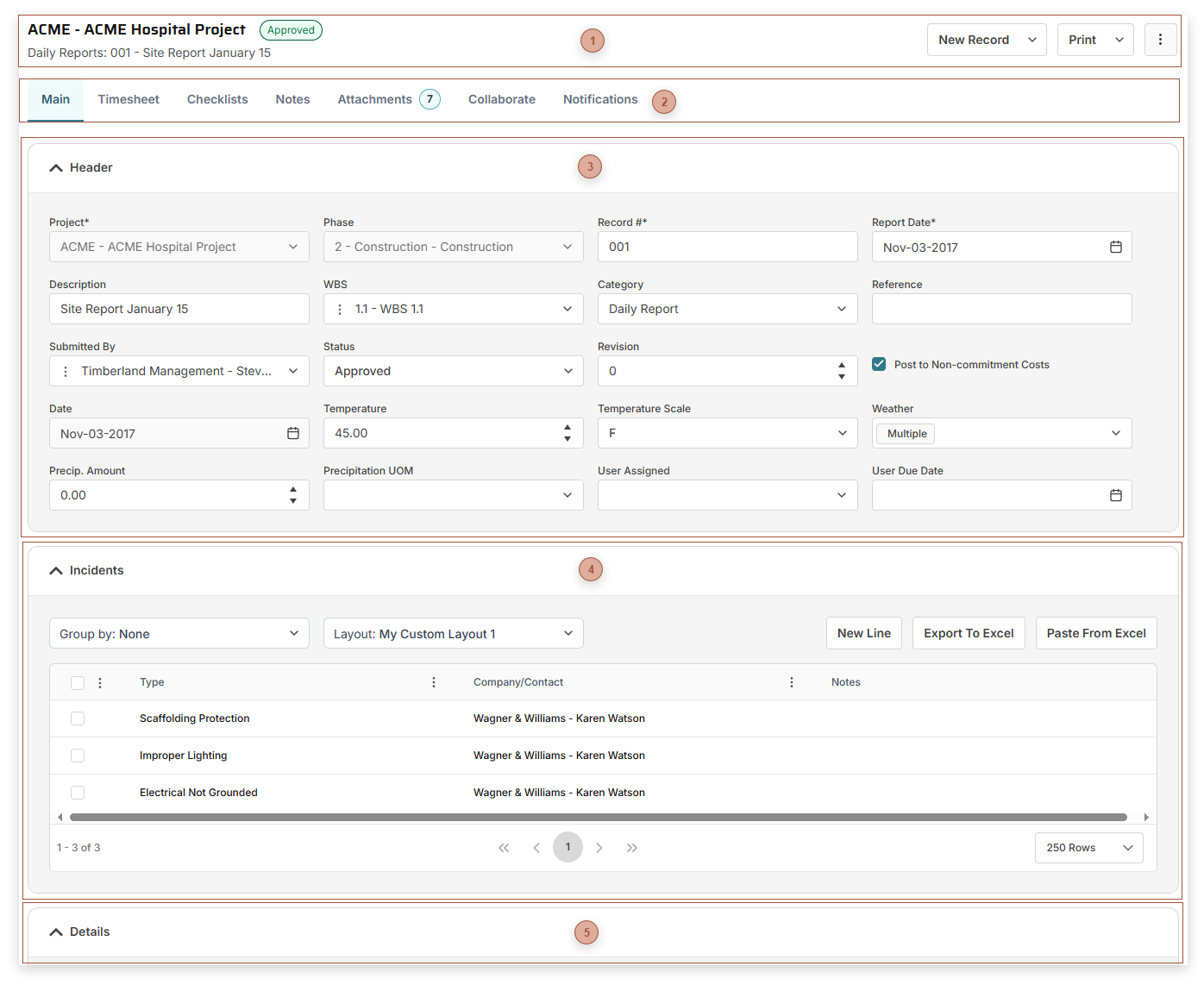
 Page Title Section-
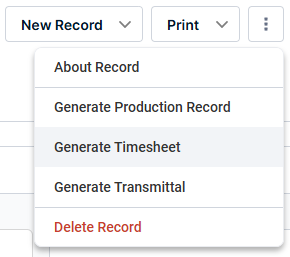
More / Generate Production Record - Clicking this option opens a new, empty, record in Production
-
More / Generate Timesheet - Clicking this button opens a new, empty, record in Timesheets
|
|
 Record Tabs |
|
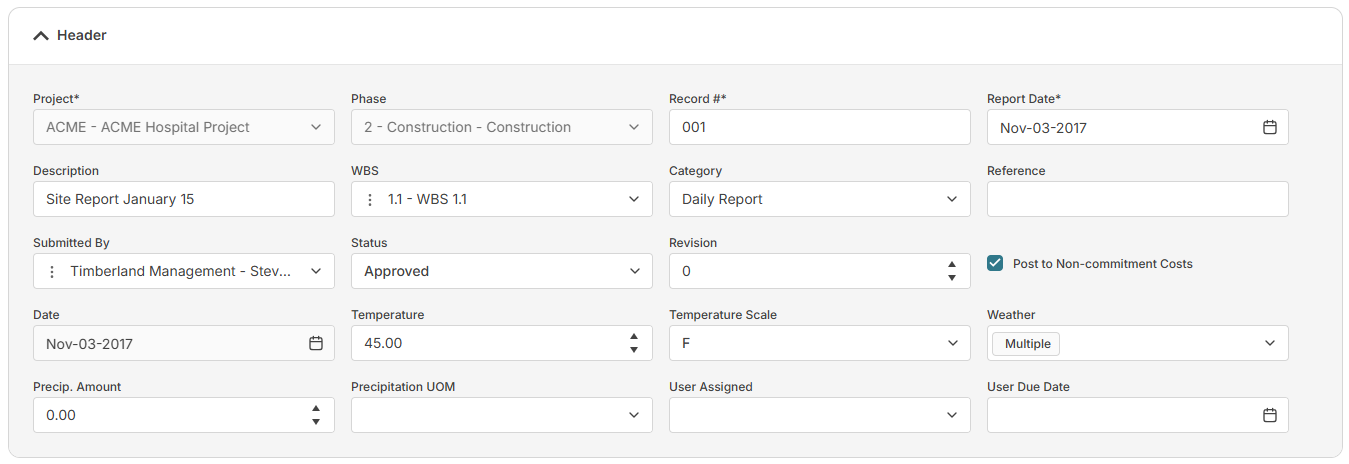
 Header Fields Section
The fields that are shown depend on your security settings and may include:
-
-
-
Record # Field - Required. An alphanumeric ID for the record.
-
-
-
-
-
-
-
-
-
-
Temperature Field - Enter a number to represent the temperature at the time of the incident.
-
Temperature Scale Field - Select Fahrenheit or Celsius
-
Precipitation Amount Field - Enter a number to represent the amount of precipitation at the time of the incident
-
-
-
|
|
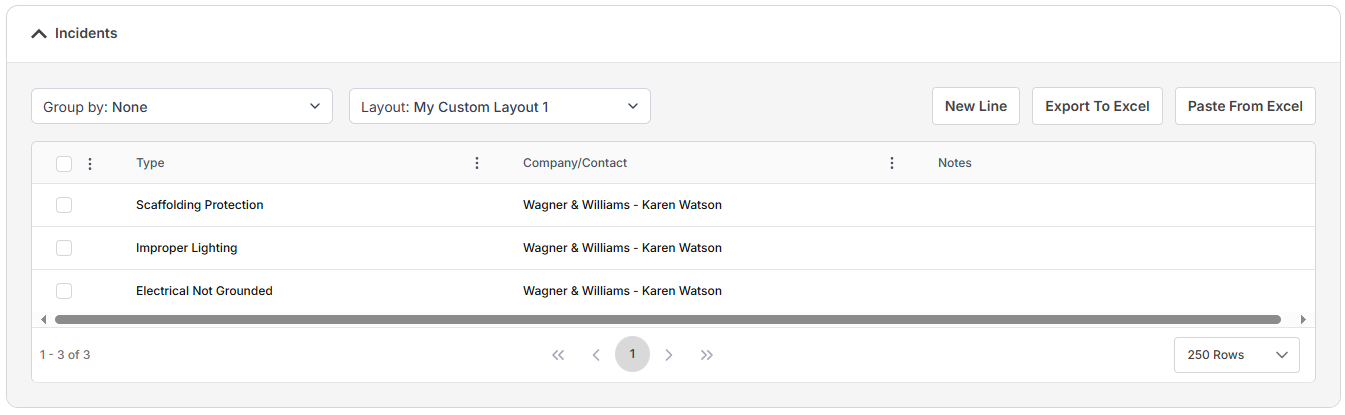
 Incidents SectionUse this table to record any type of incident. Fields shown vary depending on your security settings and the selected layout and may include:
|
|
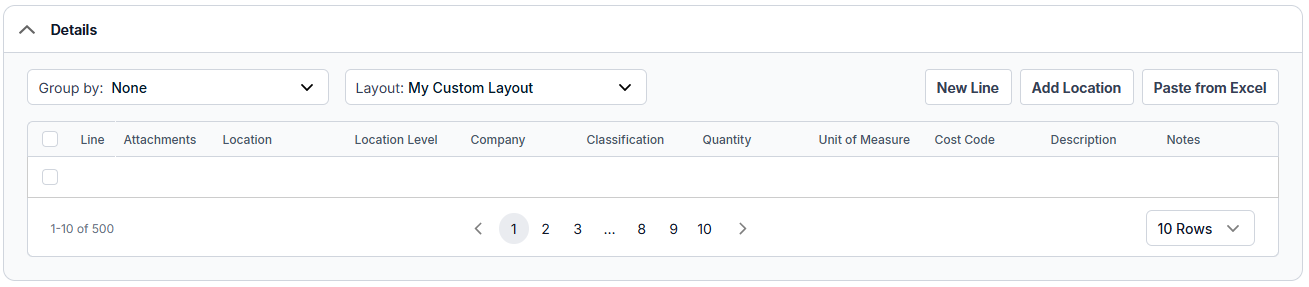
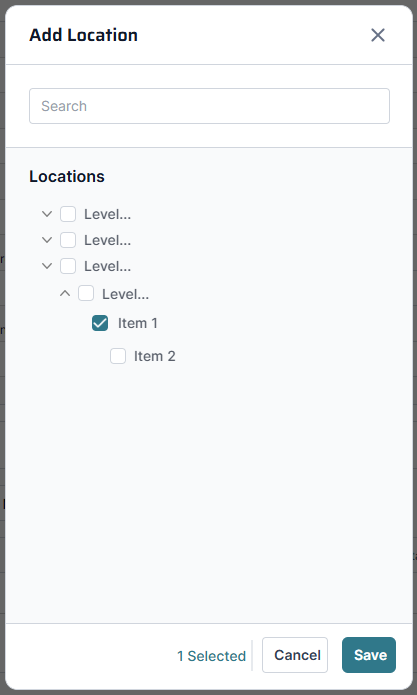
 Details SectionAdd Location Button - Click this button to open the Add Location dialog:
Select one or more locations in the tree and then click Save to add them to the table.
Details Table
Fields shown vary depending on your security settings and the selected layout and may include:
-
-
-
Location Level - Read only. If you add a location, the level defaults from there.
-
-
-
-
-
-
-
|
|