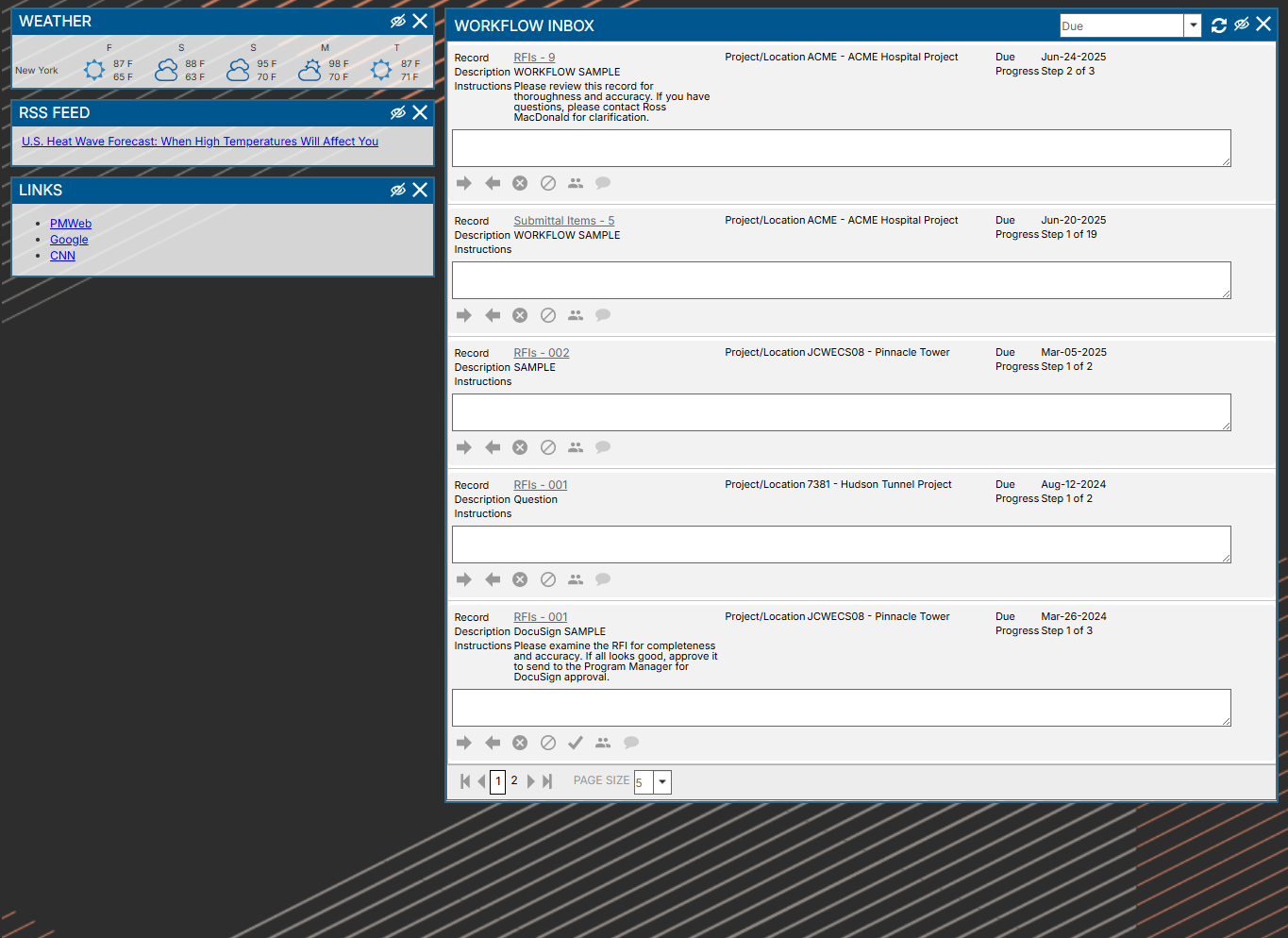
Controls Tab
The widgets that appear on this tab - and, in some cases, the data that appears within those widgets - are determined by choices made in the Profile page. These include:
-
Weather Feed - Weather forecasts for selected locations
-
RSS Feed - A scrolling list of RSS Feed headlines. Click the hyperlink to navigate to the associated page (if the feed supports this). The feed opens in a new browser tab.
-
Links - Click the hyperlinks to navigate to the associated page in a new browser tab
-
Workflow Inbox - This widget displays all of the records in PMWEB Visual Workflow for which the user is currently responsible. Users can click the hyperlink to navigate to the record and take Workflow action from there or, if the "Allow Workflow actions from outside of the record" setting is checked in PMWEB Admin Utility, they can enter a comment and then click a button within the widget to take action immediately.
-
My Assignments - If records are assigned to the user they will appear here under the due date
-
Collaborate Inbox - This widget displays all of the records in all Collaborate Tabs for which the user is currently responsible
-
Notifications Inbox - This widget displays all Notification emails assigned to the user. See Notifications Tab for more information about Notifications