This bar appears at the top of most PMWEB pages and allows you to access global features.
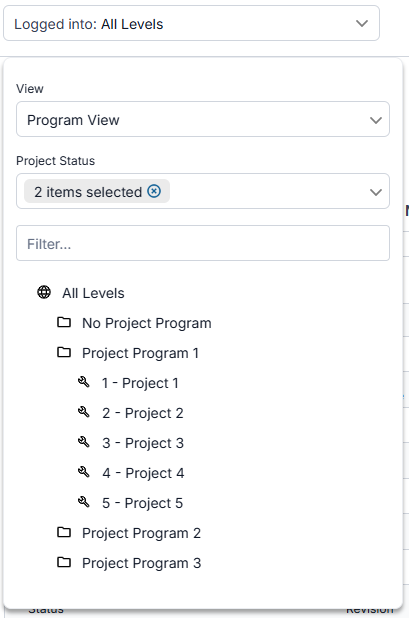
 Logged into LevelThis dropdown indicates your current working level. You can log into the level of your entire portfolio or a selected project program, project, location program, or location. Selecting a level here automatically filters most Manager Pages and other screens as well. Click this field to open the level dropdown:
-
Select a view to determine how items are grouped in the level tree. Options here are: Location View, PBS View, or Program View. -
Select one or more project statuses to filter the level tree. -
Type all or part of an level's ID or name in the filter field to further filter the level tree. -
Click a level in the tree. The dropdown closes, the text in the segment changes to the selected level, and the current page is refreshed.
|
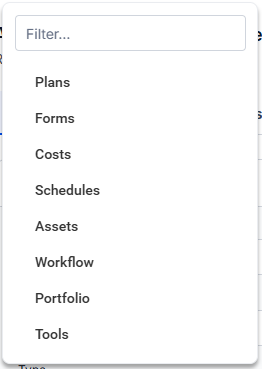
 Breadcrumbs Segment 1 - ModuleThe first segment of the breadcrumbs indicates the module of the current page. Click this segment to open the module dropdown:
-
Type all or part of a module's name in the filter field to filter the list
-
Click a module in the list. This dropdown closes and the record type dropdown opens, displaying record types for the module you selected.
|
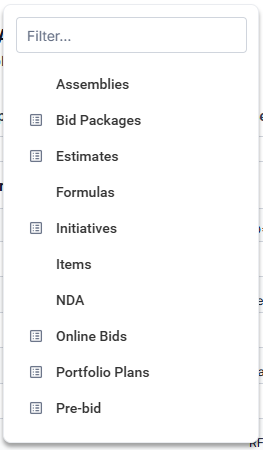
 Breadcrumbs Segment 2 - Record TypeThe second segment of the breadcrumbs indicates the record type of the current page. Click this segment to open the record type dropdown:
-
Type all or part of a record type's name in the filter field to filter the list -
Click a record type in the list. This dropdown closes and the record dropdown opens, displaying records for the record type you selected -
... OR click the manager page button -  - next to a record type. The dropdown closes and you navigate to that manager page.
|
 Breadcrumbs Segment 3 - Manager PageIf the current record type has a manager page, this breadcrumbs segment shows. If it doesn't, this segment is hidden. Click this segment to navigate to the manager page.
|
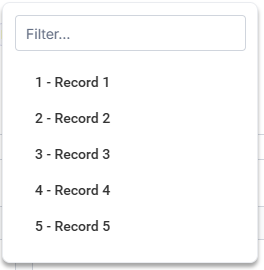
 Breadcrumbs Segment 4 - RecordThe fourth segment of the breadcrumbs indicates the record that is currently open. Click this segment to open the record dropdown:
-
Type all or part of the record's ID or name in the filter field to filter the list -
Click a record in the list. This dropdown closes and you navigate to that record.
|
 HELP BUTTONClick this button to open the context-sensitive online help (this guide)
|
 PROFILE BUTTON
|
|