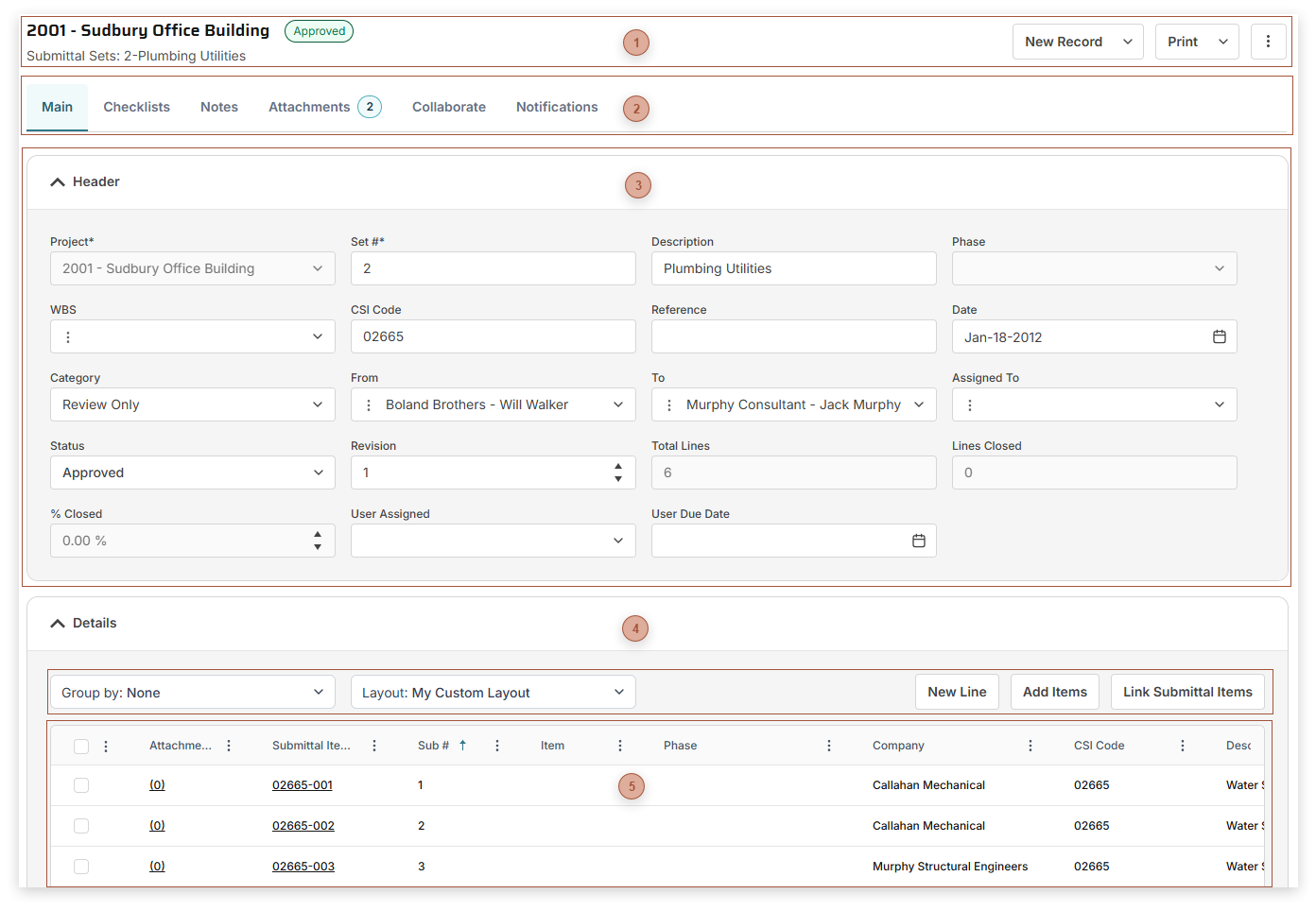
Use Submittal Sets to create and group Submittal Items related to your projects. Page Title Section |
 Record Tabs |
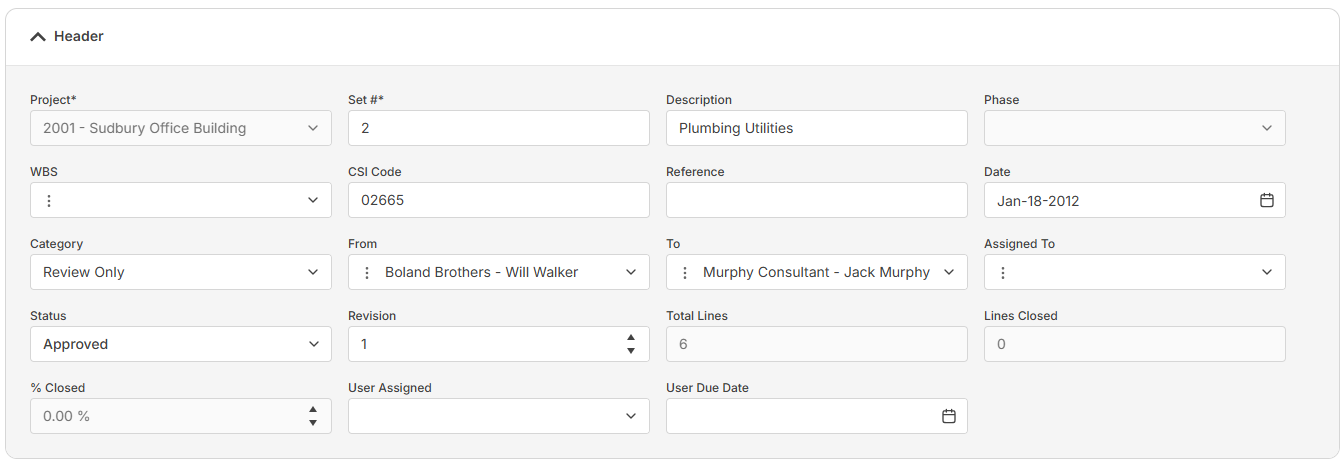
 Header Fields Section
The fields that show here depend on your security settings and may include:
-
-
Set # Field - Required. An alphanumeric ID for the record
-
-
-
-
CSI Code Field - Type a CSI code here
-
-
-
-
-
-
Total Lines Field - Read only. The total number of lines in the details table.
-
Closed Lines Field - Read only. The count of lines marked Closed.
-
% Closed Field - Read only. The percentage of lines marked closed.
-
-
|
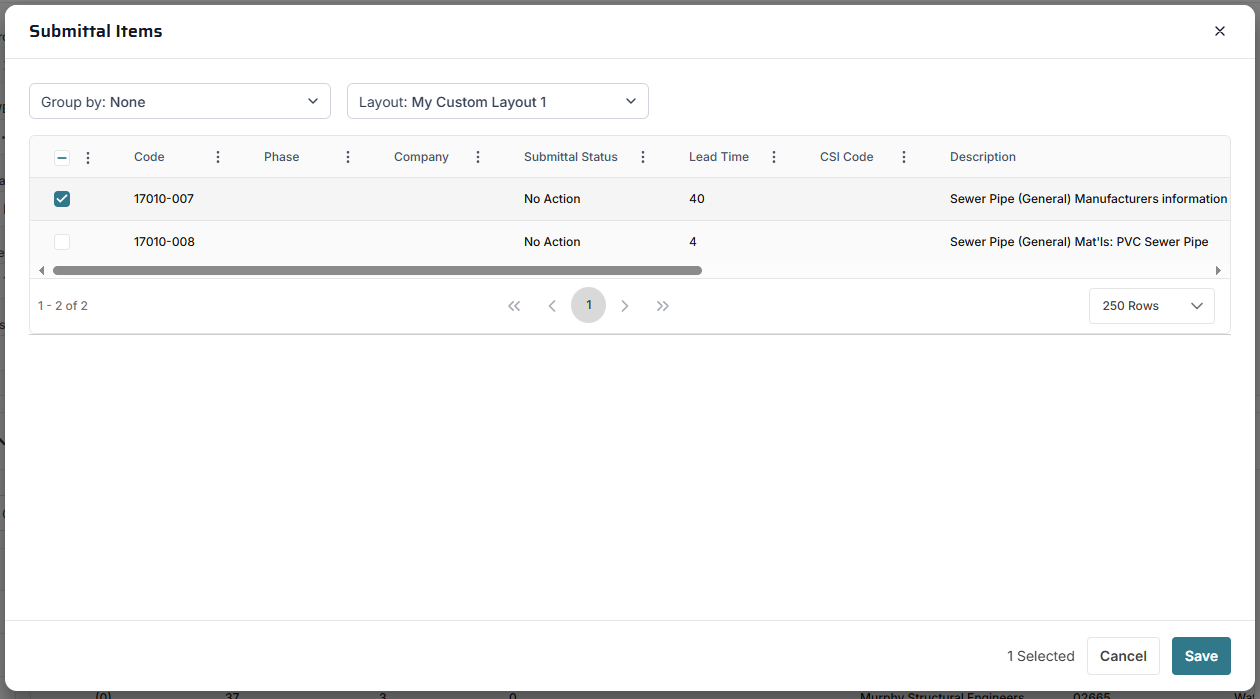
 Details Table ToolbarLink Submittal Items Button - Click this button to open the Link Submittals dialog:
Select one or more Submittal Items in the table and then click Save to link them to the Submittal Set
|
 Details TableThe fields that show in this table depend on your security settings and the layout selected and may include:
-
CSI Code Field - Type a CSI Code here -
Sub # Field - The number of the submittal line within the set -
-
Read only. If the line is linked to a record in Submittal Items, the ID of the item appears here.
-
-
-
-
-
-
-
-
-
-
Status Field (Submittal Items). If you select "Revise & Resubmit", as soon as you save the line the next incremental revision of the line is automatically created for you.
|
|