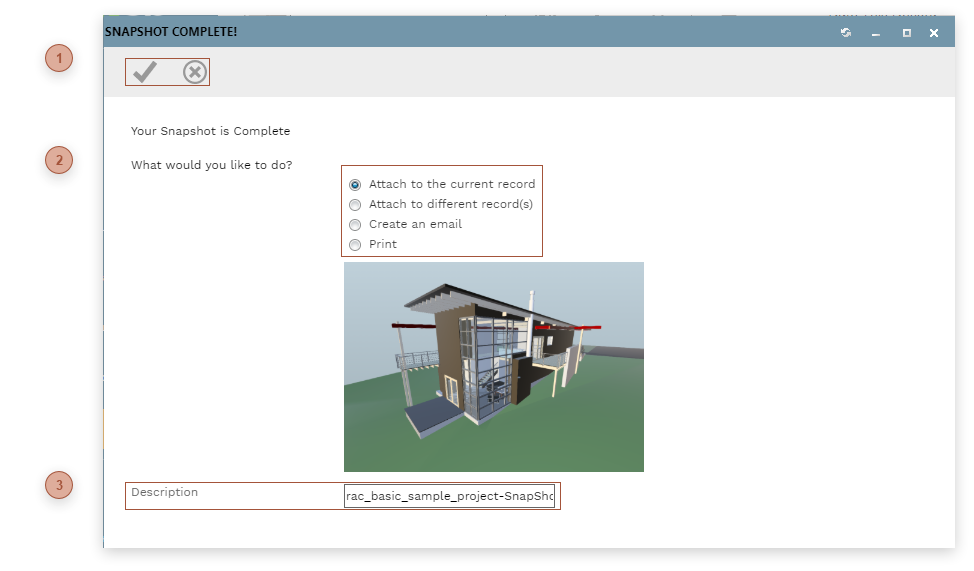
Use this record to preview a snapshot of the current view of a model in the 3D Viewer tab of a
Model Manager record and then perform an action based on it. The action is taken when you click the OK button.
 HEADER TOOLBAR-
Save Button - Click this button to execute the selected action. -
Cancel Button - Click this button to close the dialog without taking action.
|
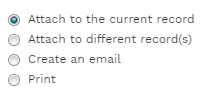
 ACTION RADIO BUTTONSSelect one of these actions:
-
Attach to the current record - Adds the current view to the Attachments tab of the Model Manager record as a .png file. -
Attach to different record(s) - Adds the current view to the Attachments tab of one or more PMWEB records. When you click this radio button the Link Records Dialog opens. -
Create an email - Opens the Notifications Dialog to a new message with the current view - in .png file format - already selected in the Select To Attach To Email section.
-
Print - Opens the current view in the print dialog of the browser.
The selected action takes place when the OK button is clicked.
|
 DESCRIPTION FIELDA default name for the attachment file which you can edit if you wish.
|