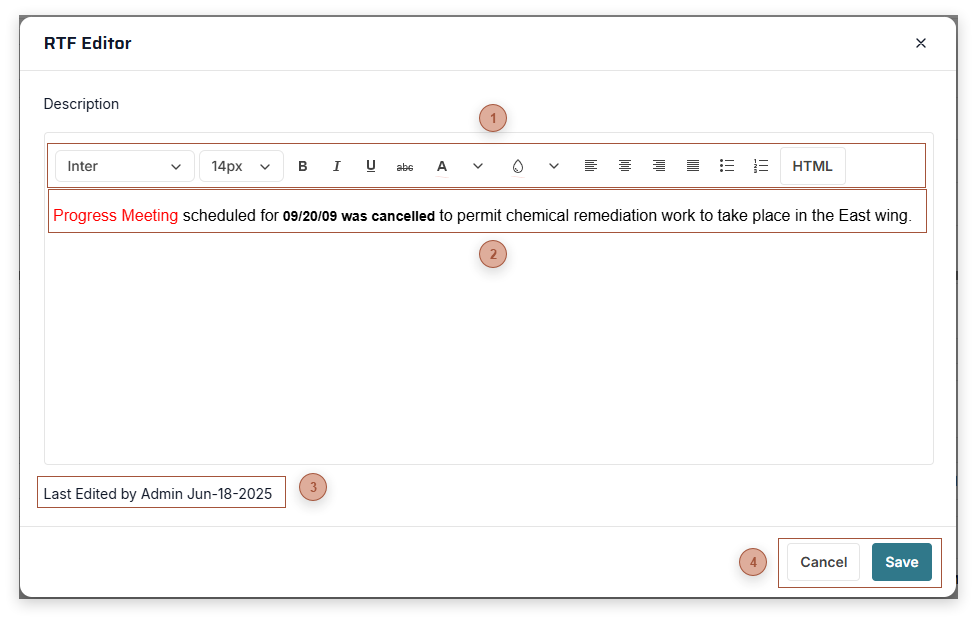
Use this dialog to enter and edit text with rich formatting.
 Text ToolbarThe buttons that appear vary depending on record type but include standard text formatting tools
-
HTML Button - If you are familiar with HTML editing you can use this tab to view and edit the HTML behind the note -
Preview Button - If you have made special edits to the HTML you can preview them in this tab
|
|
 TEXT FIELDType text in this area or paste from the clipboard
|
|
 Edited FieldsRead only. The user who most recently edited the notes and the date.
|
|
 Dialog Toolbar |
|