Folder Groups Dialog
There are two primary methods for granting group permissions for folders in Document Manager:
-
Permissions by User Group - This has been the default method since the first version of PMWEB Document Manager. In this method, folder permissions are granted one user group at a time.
-
Permissions by Folder Group - In this method, introduced in version 7.1, folder permissions are granted to combinations of user groups, called Folder Groups. To use Folder Groups you must first enable the setting in Portfolio/Administer/Settings/General Settings System Subtab.
User Groups are assigned to Folder Groups here, in this dialog, which is opened by clicking the Settings button in the header toolbar of the root folder of Document Manager.
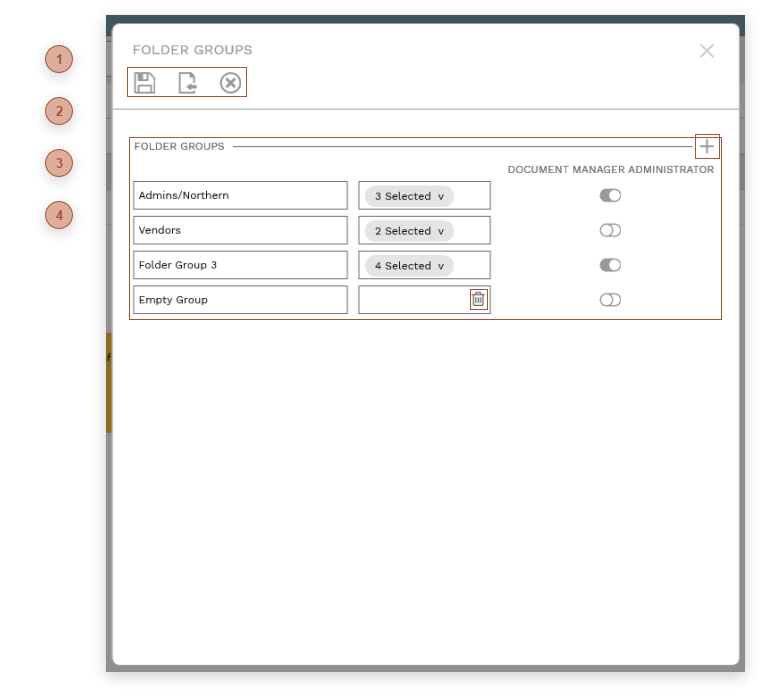




 FOLDER GROUPS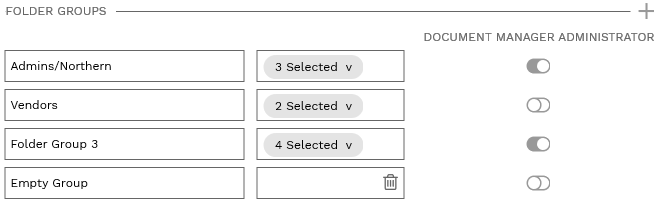 There are three fields in each Folder Group line:
|

