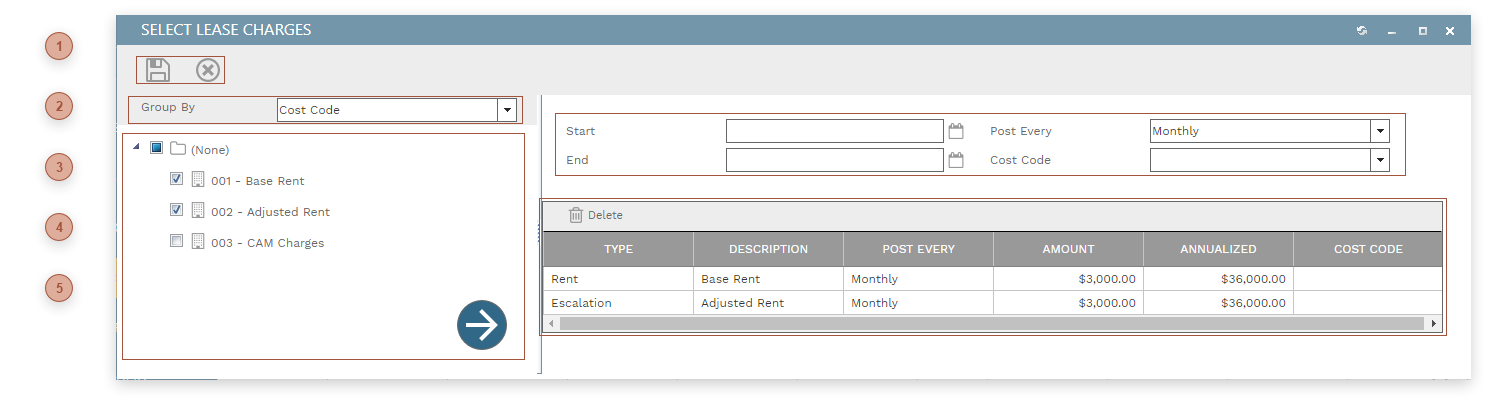
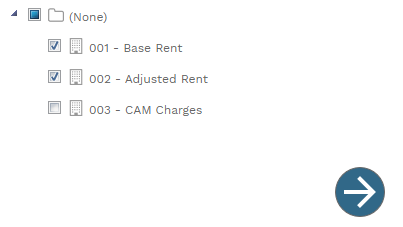
Add Lease Charges Dialog This dialog is used to add predefined Lease Charges to the Leases Charges Tab. To use the dialog: Group the charges tree as you wish Configure the default fields (optional) Drag charges or folders from the tree on the left and drop them on the table on the right Click the Save button See Responsive Dialog Formats for information about how this dialog adapts itself to varying screen sizes. DIALOG TOOLBAR Dialog Toolbar Top GROUP BY DROPDOWN The selection here determines how the tree is grouped Top CHARGES TREE A tree view of all of the predefined lease charges. Click one or more charges or groups and drag them to the table on the right. Or, check the box next to one or more charges and then click the button to send them to the table on the right. Top DEFAULT FIELDS Defaults entered here - for charges without predefined defaults - will automatically fill when charges are saved to the lease. Top CHARGES TABLE Drag charges or groups from the tree on the left and drop them here. Top