View Workflow Dialog
This dialog displays the role and branch steps for a Visual Workflow business process.
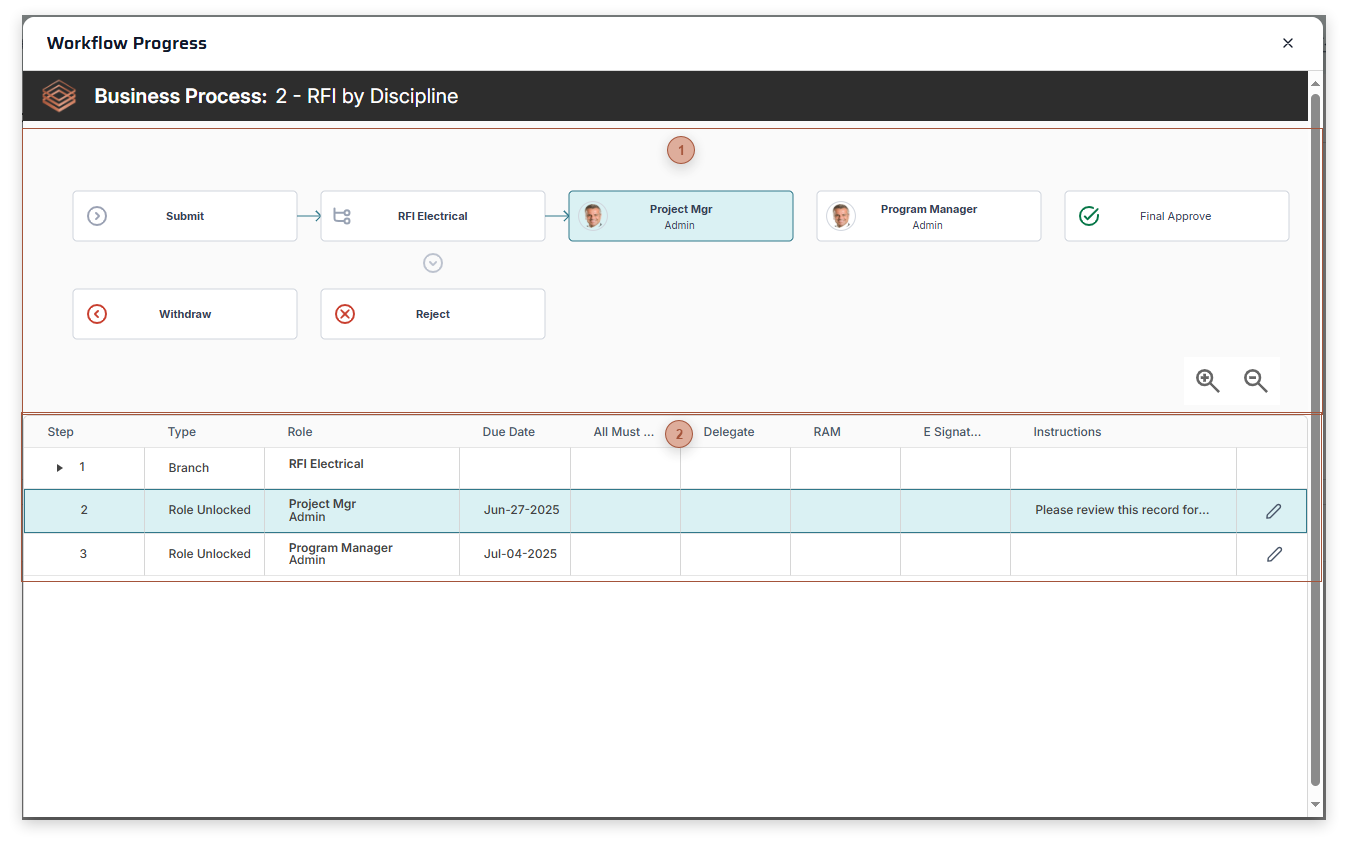
 Visual Workflow Image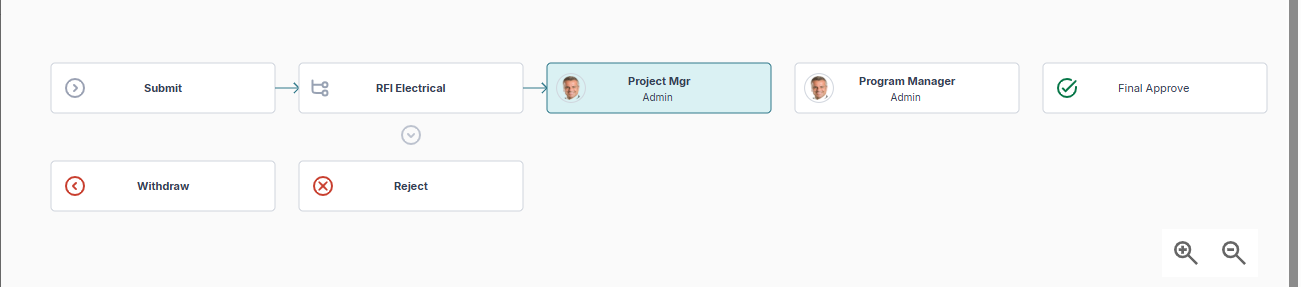 This section shows the business process as a graph with connector lines indicating what steps have been taken. The current step is highlighted. Click any step to view the Workflow Branch Rule Step Dialog or Workflow Role Step Dialog.
Click the drill-down icon
 below branch rule steps to drill down a level. Note: This section does not show until after the record has been submitted. below branch rule steps to drill down a level. Note: This section does not show until after the record has been submitted. |
 Business Process Table This section shows the business process as a table. The current step is highlighted. Click any line to view the Workflow Branch Rule Step Dialog or Workflow Role Step Dialog. Click the expand line icon
 to view branch rule levels. If you have security permission, you can click the edit icon to view branch rule levels. If you have security permission, you can click the edit icon  to open the Workflow Edit Role Step Dialog. to open the Workflow Edit Role Step Dialog. |