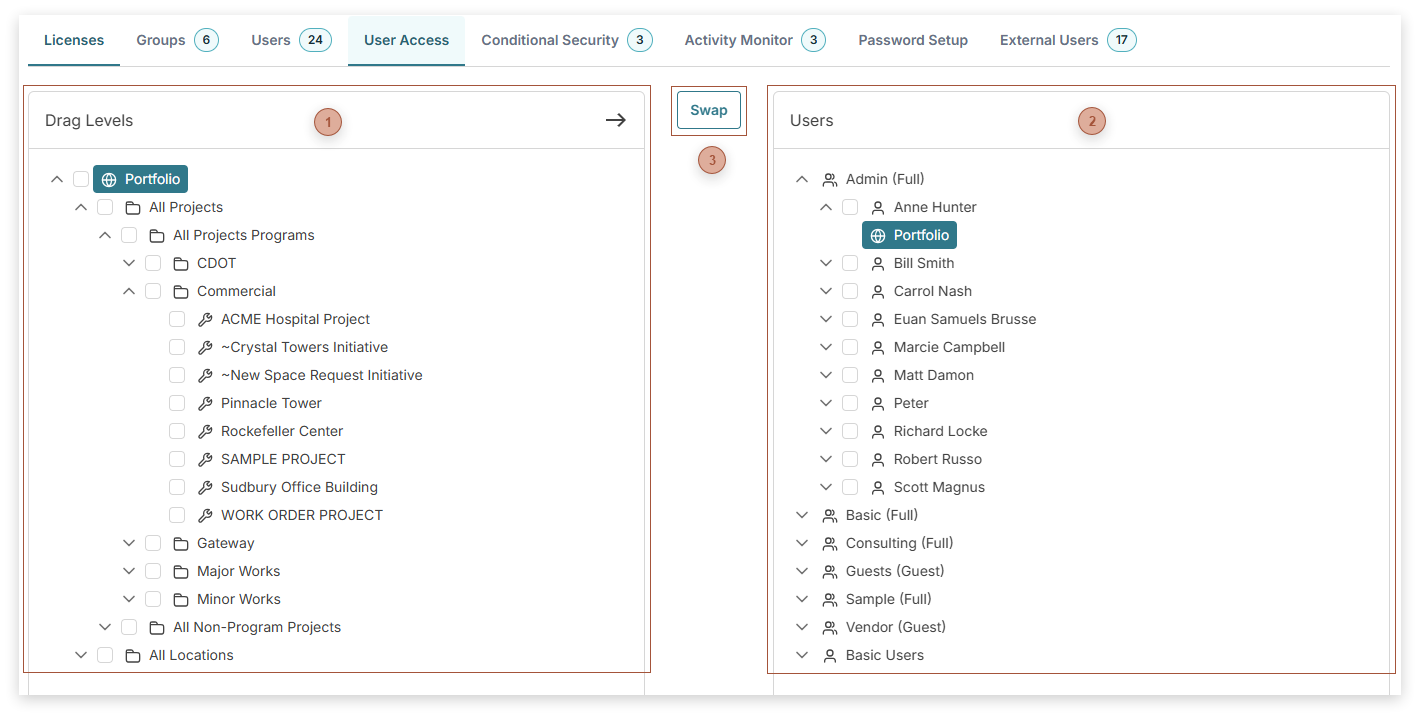
Use this page to grant project and location access to users by dragging security permission levels in the tree on the left and dropping them on users in the tree on the left. Click the Swap button to reverse the trees. Then you can drag users from the tree on the left and drop them on the level tree on the right.
Security Levels Tree
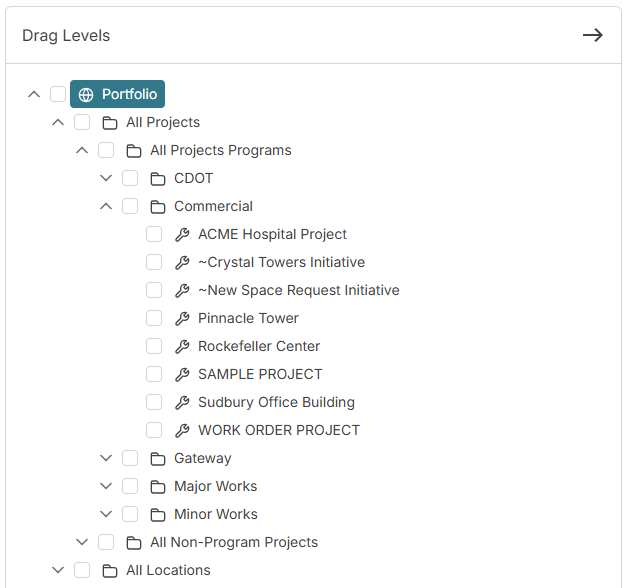
This tree displays security levels. Drag any level from this tree and drop it on a user to grant them that level of security permission. Security levels include:
Portfolio - The user has access to all current and future projects programs, projects (whether they are part of a program or not), location programs, and locations (whether they are part of a location program or not)
All Projects - The user has access to all current and future projects (whether they are part of a program or not)
All Projects Programs - The user has access to all current and future programs and to all current and future projects that are part of a program
All Non-Program Projects - The user has access to all current and future projects that are not part of a program
[a program] - The user has access to this program and to all current and future projects that are part of this program
[a project] - The user has access to this project
All Locations - The user has access to all location programs and to all current and future locations (whether they are part of a program or not)
All Location Programs - The user has access to all current and future location programs and to all current and future locations that are part of a program
All Non-Program Locations - The user has access to all current and future locations that are not part of a program
[a location] - The user has access to this location program and to all current and future locations that are part of this program
[a location] - The user has access to this location
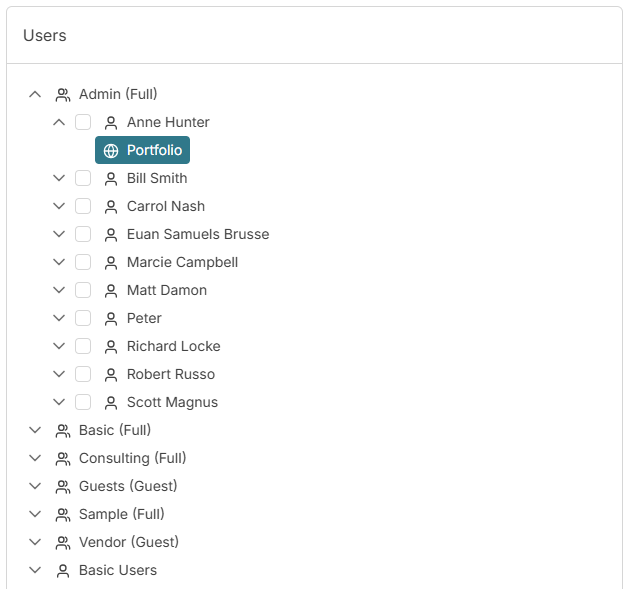
This tree displays users, grouped by user group. Drop security levels on users here to grant them that level of security permission. Note that dropping higher levels on users replaces what is displayed in this tree.
Click this button to move the Users Tree to the left and the Security Levels Tree to the right. Now you can drag users and drop them on the security levels.