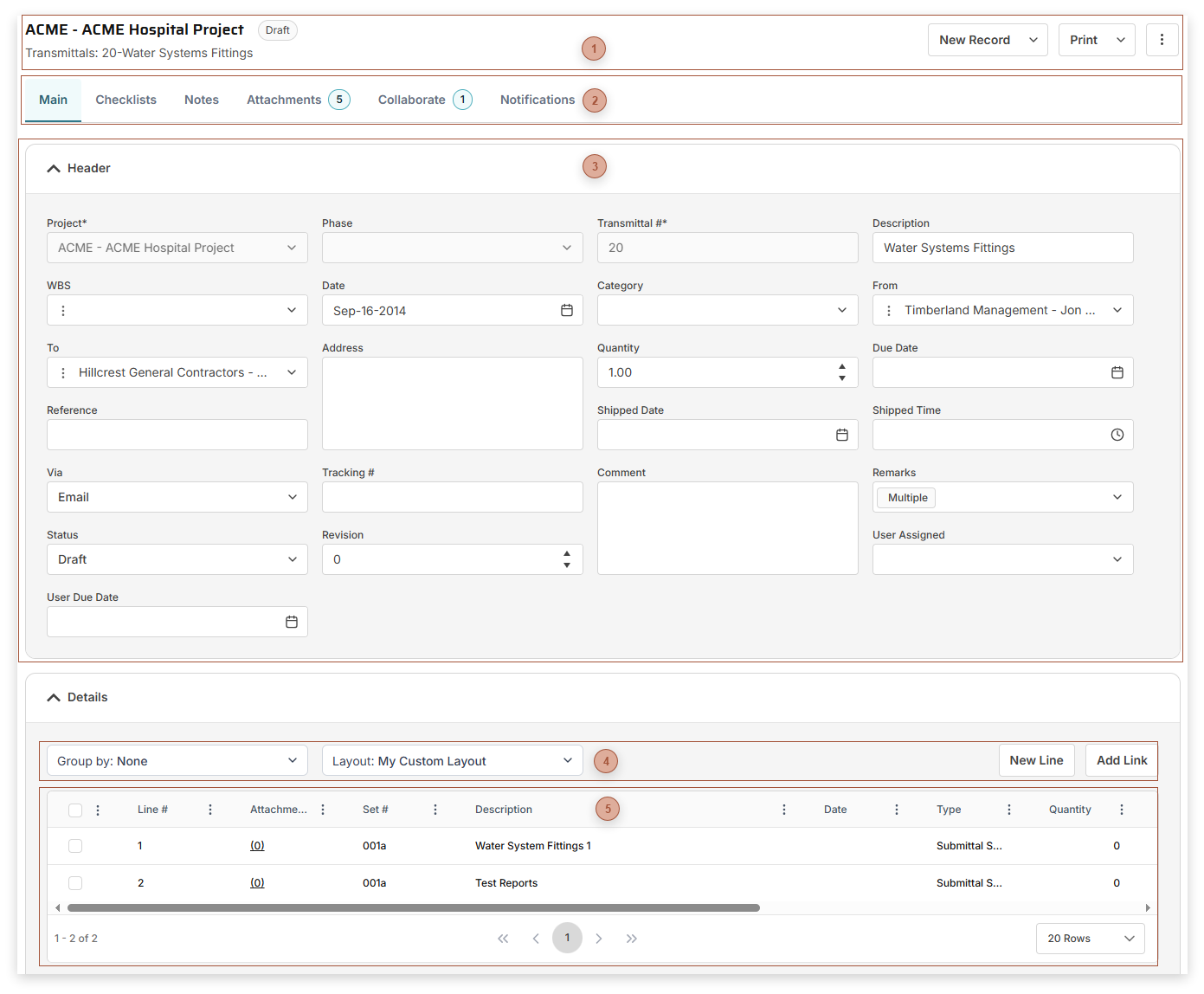
Use Transmittal records to track cover sheets for records related to your projects.
 Page Title Section |
 Record Tabs |
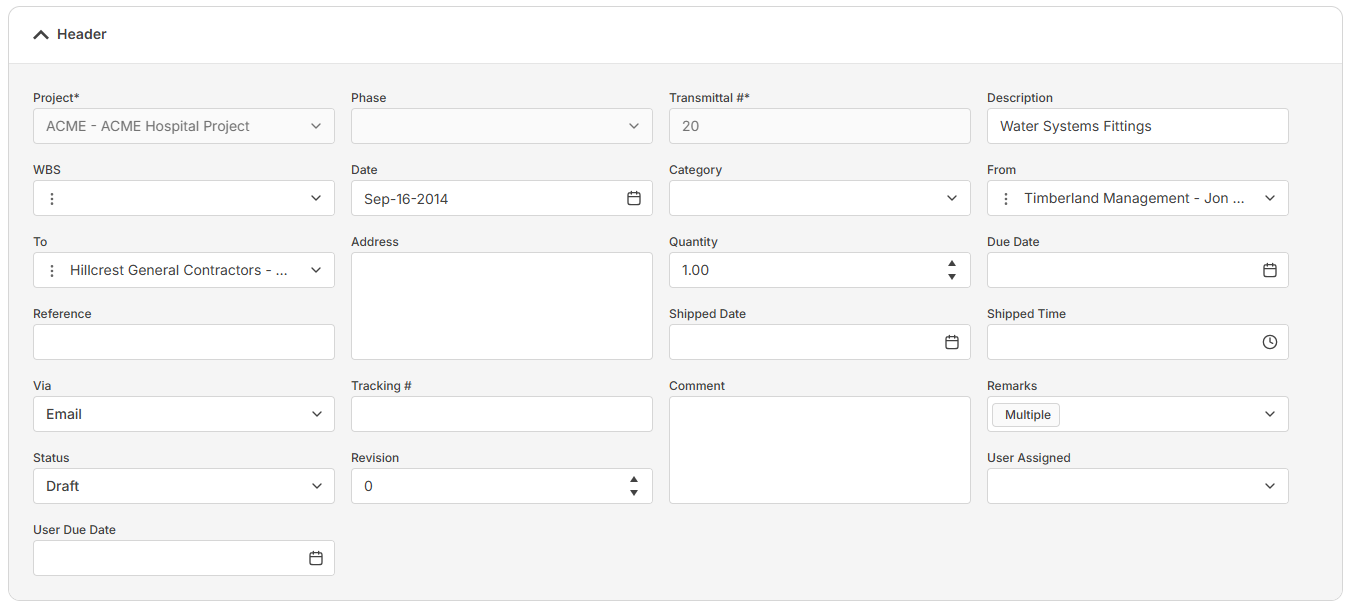
 Header Fields Section
The fields that are shown depend on your security settings and may include:
-
-
-
Transmittal # Field - Required. An alphanumeric ID for the record.
-
-
-
-
-
-
Address Field - Type an address here
-
Quantity Field - Type a quantity here
-
-
-
-
-
-
Tracking # Field - Type a tracking number here
-
Comment Field - Enter comments here
-
Remarks Field - Select one or more items from the dropdown -
-
-
|
 Details Table Toolbar |
 Details Table
The fields shown depend on your security settings and the selected layout and may include:
-
-
-
Link Field - If the line is linked to a PMWEB record, a hyperlink to it appears here
-
Set # Field - Read only. If the linked record is part of a set the set number appears here.
-
-
-
-
-
Type Field - A list of Engineering Forms record types. If the line is linked to a PMWEB record this field is read only.
-
Quantity Field - Enter a number here.
-
Source ID Field - Read only. If the line is linked to a PMWEB record the ID of the record appears here.
-
Source Line # Field - Read only. If the line is linked to a PMWEB record line the line number of the linked record appears here.
|