PMWEB Scoring is used to derive a weighted score for a record based on criteria you define. Scores can be based on an unlimited number of questions and each answer can be in a specific data format. Scoring questions defined here can be dragged and dropped into the Scoring Tab in records.
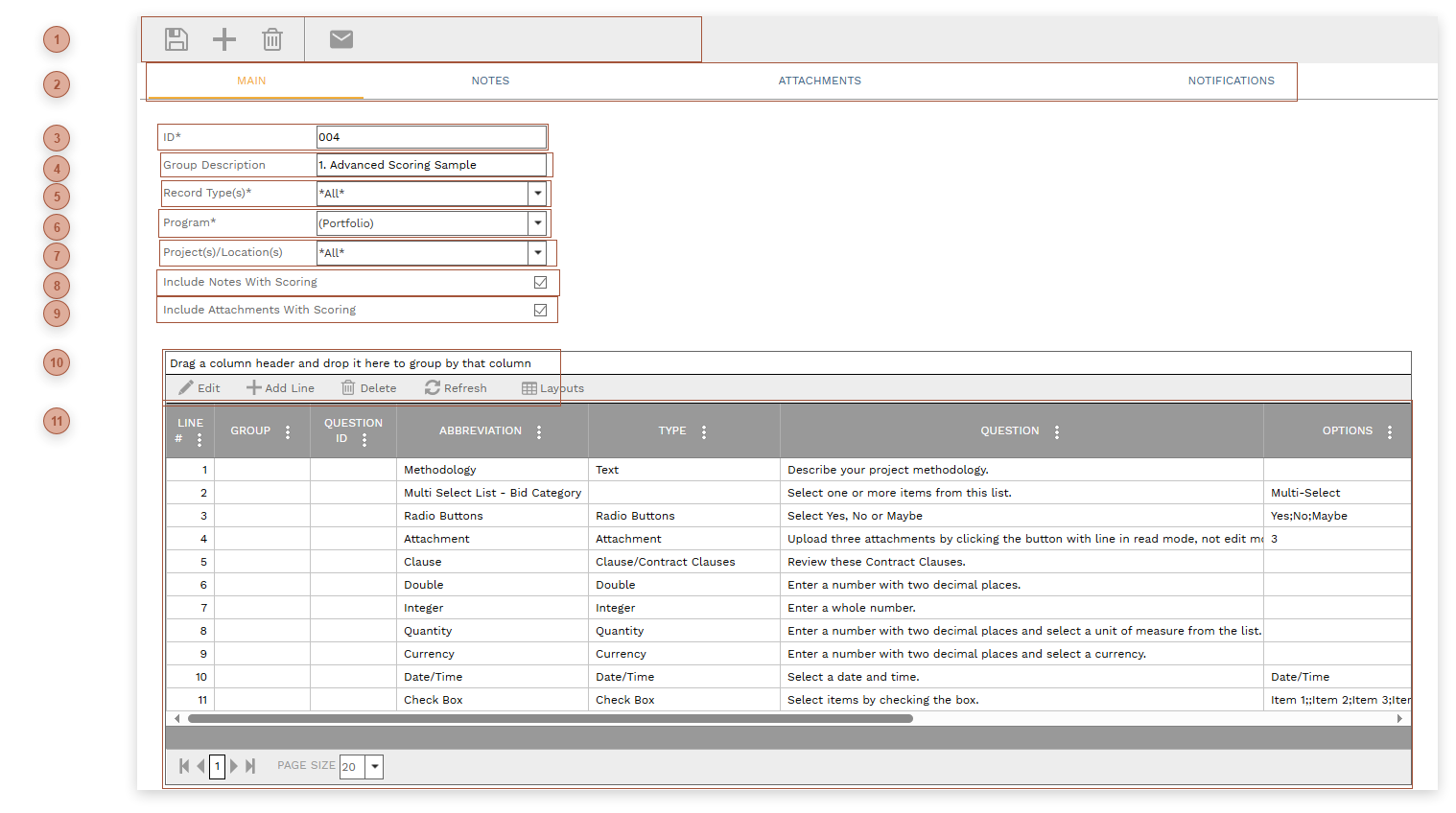
 HEADER TOOLBAR
|
 RECORD TABS
|
 ID FIELD
Required. An alphanumeric ID for the record.
|
 GROUP DESCRIPTION FIELD
|
 RECORD TYPE(S) FIELD
Select the PMWEB record type(s) with which the scoring group is associated. The default is "*All*".
|
 PROGRAM FIELD
|
 PROJECT(S) / LOCATION(S) FIELD
Select the project(s) and location(s) with which the scoring group is associated.
|
 INCLUDE NOTES CHECKBOXIf this box is checked, when you add the scoring group to a record (see Clauses Tab) the notes for this scoring group are automatically added to the record as well. |
 INCLUDE ATTACHMENTS CHECKBOXIf this box is checked, when you add the scoring group to a record (see Clauses Tab) the attachments for this scoring group are automatically added to the record as well. |
 DETAILS TABLE TOOLBAR
|
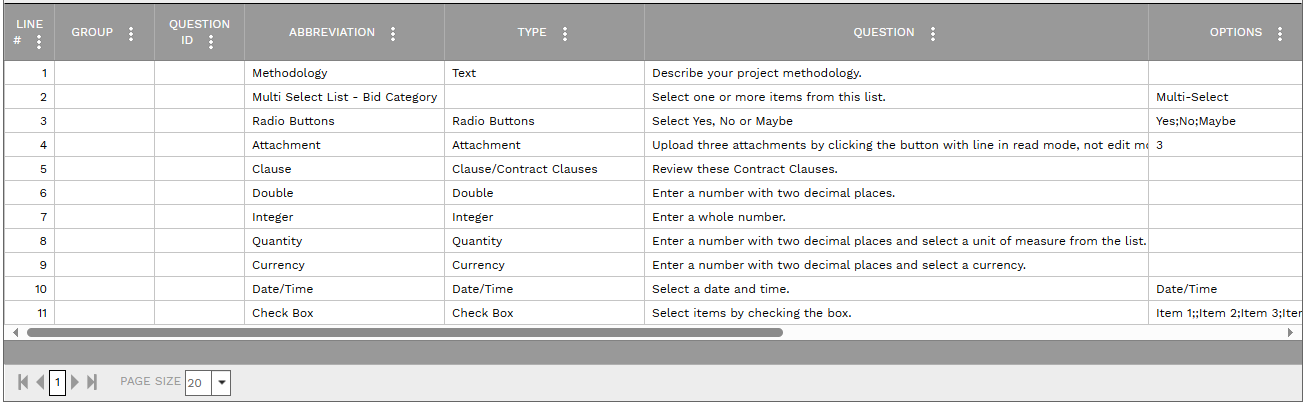
 DETAILS TABLE
Use this table to add an unlimited number of questions to the scoring group. Fields include:
-
Line # - Read only. The order that the question appears in the question group. This field can be indirectly edited by dragging and dropping up or down in the table.
-
Group - Defined in Portfolio/Lists/Lists/ Standard Lists/"Group (Scoring)"
-
Question ID - An alphanumeric ID for the question
-
Abbreviation - An abbreviation for the question
-
Type - A system list. See the table below for a list of choices.
-
-
Options - Depends on the selection in the Type field. See the table below for a list of choices.
-
Answer - Fill this field to record a default answer or leave it empty for the answerer to fill in
-
Score - Fill this field to record a default score or leave it empty to be filled after evaluating the answer
-
Points Available - Enter the maximum number of points that can be earned by an answer
-
Weight - Enter a weight for the question in relation to all of the other questions
-
Weighted Score - This number is calculated by PMWEB based on the score and the weight
-
Inactive - Check this box to note that the question is inactive. Inactive questions will not be added when the scoring group is dragged and dropped into records
-
|
Type Field
|
Description
|
Options Field
|
|
Text
|
The user will be allowed to enter text in the Answer field
|
n/a
|
|
List
|
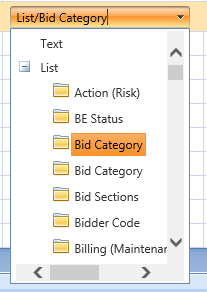
If you select "List", also select a specific system or user defined list. The answerer will be able to select one or multiple items from the list you specify.
|
Single Select, Multi-Select
|
|
Radio Buttons
|
An unlimited number of radio buttons can be defined for each question but the answerer will be allowed to select only one.
|
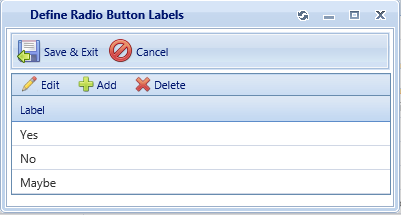
Click the builder button in the Options field to open the Define Radio Button Labels Dialog:
Each line in the table will appear as a radio button to the answerer.
|
|
Attachment
|
The answerer will be required to upload a number of attachments (when the line is in read, not edit, mode). When using the "Attachment" data type it is sometimes helpful to include instructions in the Question field.
|
The answerer will be allowed/required to upload exactly the number of attachments defined here.
|
|
Clause
|
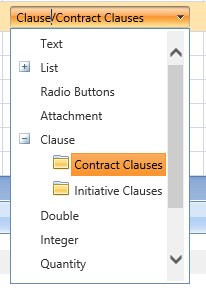
If you select "Clause", also select a specific clause group.
|
|
|
Double
|
The answerer will be allowed to enter a number with two decimal places
|
|
|
Integer
|
The answerer will be allowed to enter a whole number
|
|
|
Quantity
|
The answerer will be allowed to enter a number with two decimal places and to select from the UOM Field |
|
|
Currency
|
|
|
|
Date/Time
|
|
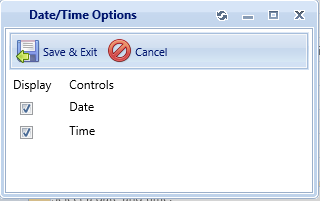
Click the builder button in the Options field to open the Date/Time Options Dialog:
Select one or both options by checking the boxes
|
|
Check Box
|
The answerer will be allowed to place checkmarks in one or more boxes
|
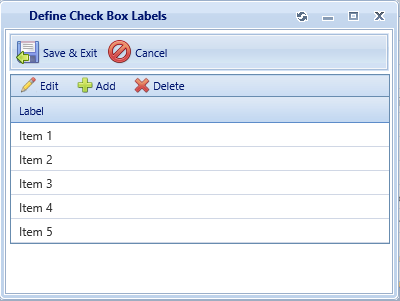
Click the builder button in the Options field to open the Define Check Box Labels Dialog:
Each line in the table will appear as a check box to the answerer.
|
|
|