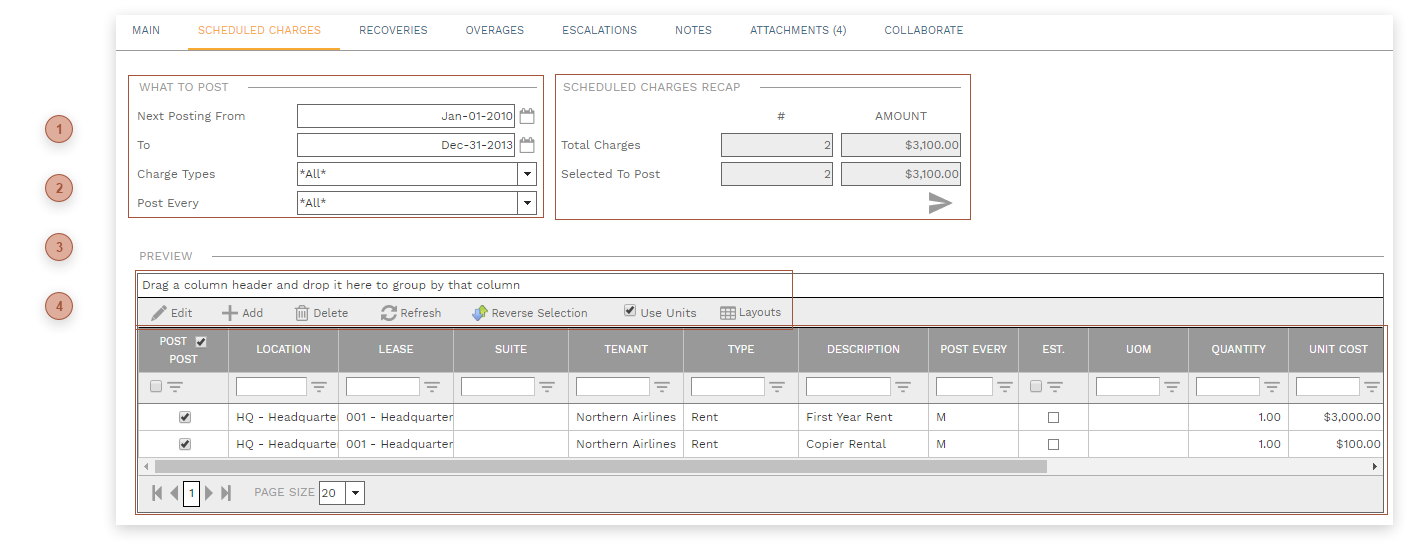
This tab displays all charges from the charges tab for all leases where:
-
the location matches the Location in the header -
the lease Status is Approved -
-
the lease Post As matches the selection in the header -
the Next Posting is between Next Posting From and To -
the Charge Type matches the selected ones -
the Posting Every matches the selected one -
the charge is not Inactive
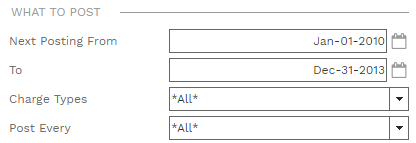
 What To Post SectionUse this section to filter the table.
|
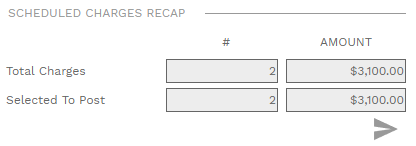
 Scheduled Charges Recap SectionRead only. Click the button to apply the filters and refresh the table and recap fields.
|
 Lease Administrator Scheduled Charges Tab Toolbar
-
Reverse Selection - Toggles the Post field for each line in the table
|
 Leases Administrator Scheduled Charges Tab Table
-
Post Checkbox - If this box is checked the charge will be processed when the Post button in the is clicked. If unchecked, the charge will be unchanged whether or not the Lease Administrator batch is posted. -
Location, Lease, Suite, Tenant, Post Every, and Est. Fields - Read only. Fields from the lease. -
Type Field - This field defaults from the lease but may be edited. The selection here determines what appears on Tenant Invoices.
-
-
UOM Field - This field defaults from the lease but may be edited. The selection here determines what appears on Tenant Invoices.
-
-
-
-
-
-
Charge System ID Field - Read only. A numeric ID assigned by PMWEB.
|
|