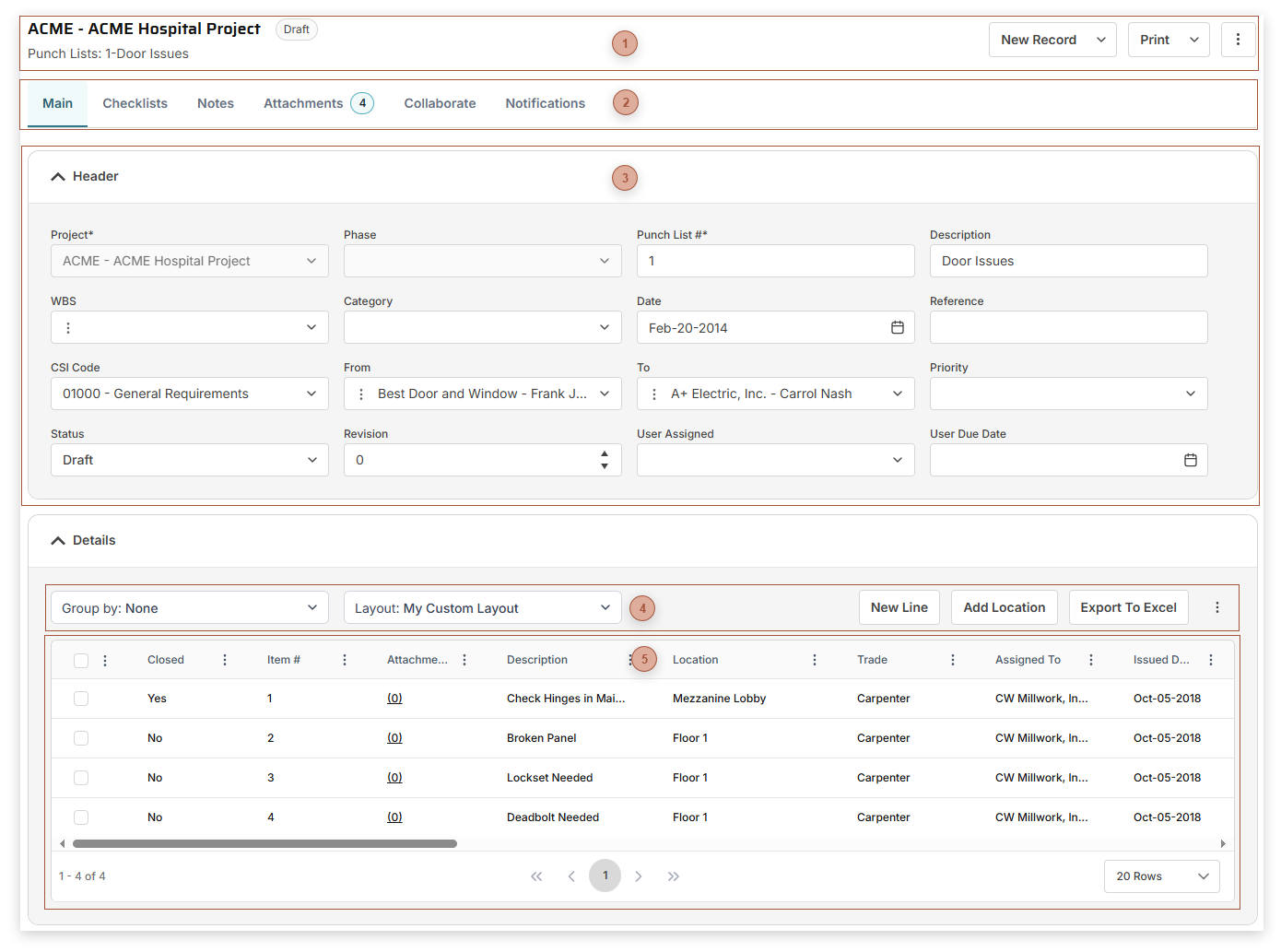
Use Punch Lists to track, assign, and monitor the completion of, items that need to be taken care of in your projects.
 Page Title Section |
 Record Tabs |
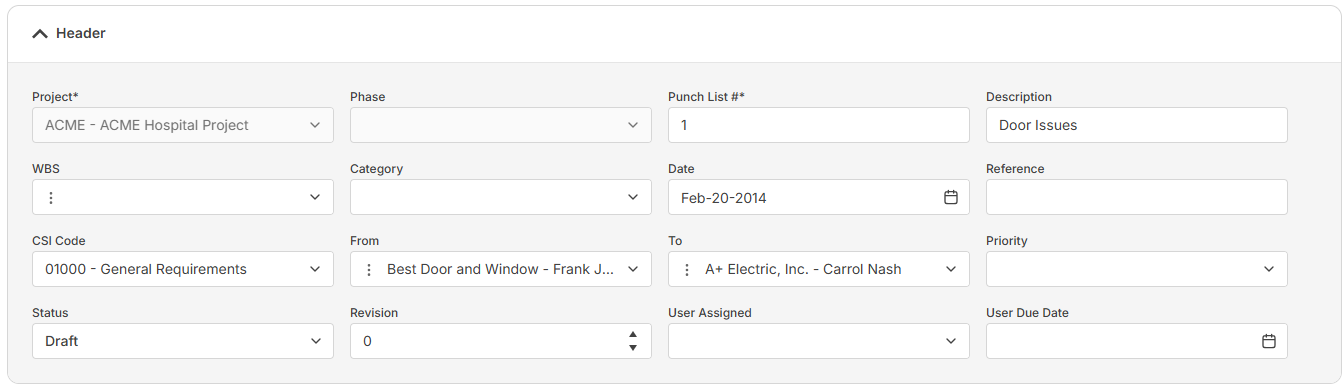
 Header Fields Section
The fields that are shown depend on your security settings and may include:
-
-
-
Punch List # Field - Required. An alphanumeric ID for the record.
-
-
-
-
-
-
-
-
-
-
-
|
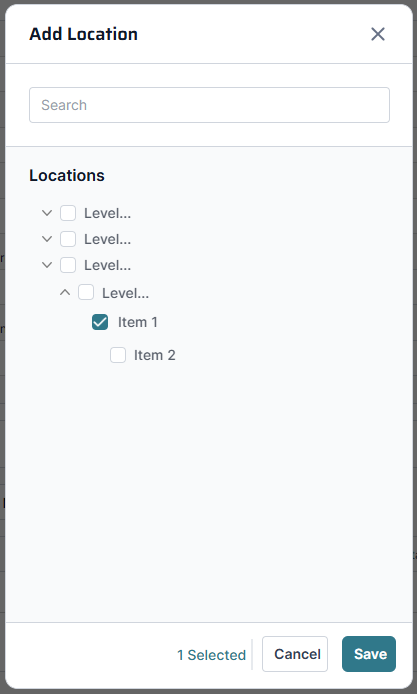
 Details Table ToolbarAdd Location Button - Click this button to open the Add Location dialog:
Select one or more locations in the tree and then click the Save button to add them to the record.
|
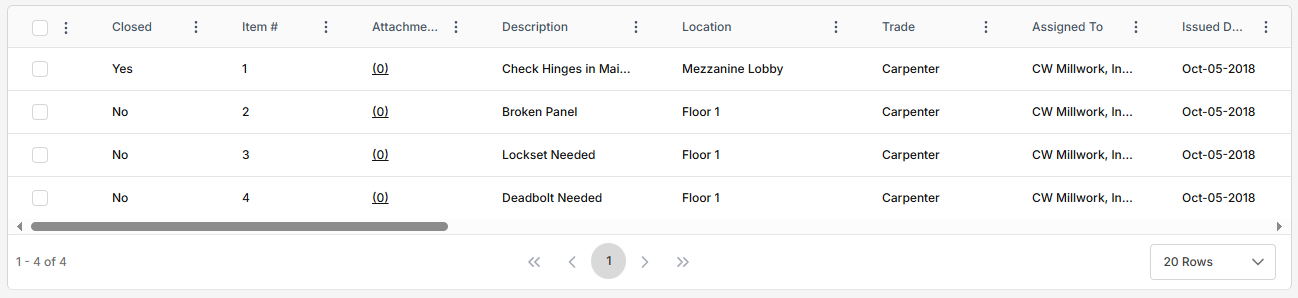
 Details SectionThe fields that are shown in the table depend on your security settings and the selected layout and may include:
-
-
-
-
Location Field - Select a location from the dropdown
-
-
-
-
-
-
-
Days Overdue Field - Read only. Today minus Due Date.
-
-
Cost Field - Enter a cost for the line here.
-
Days +/- Field - Read only. Completed minus Due Date.
-
-
Closed Field - Mark a line closed
-
|