Items
You can create and store a catalog of Items, and drag & drop them into many kinds of records in many modules. Items can be imported from the Manager Page.
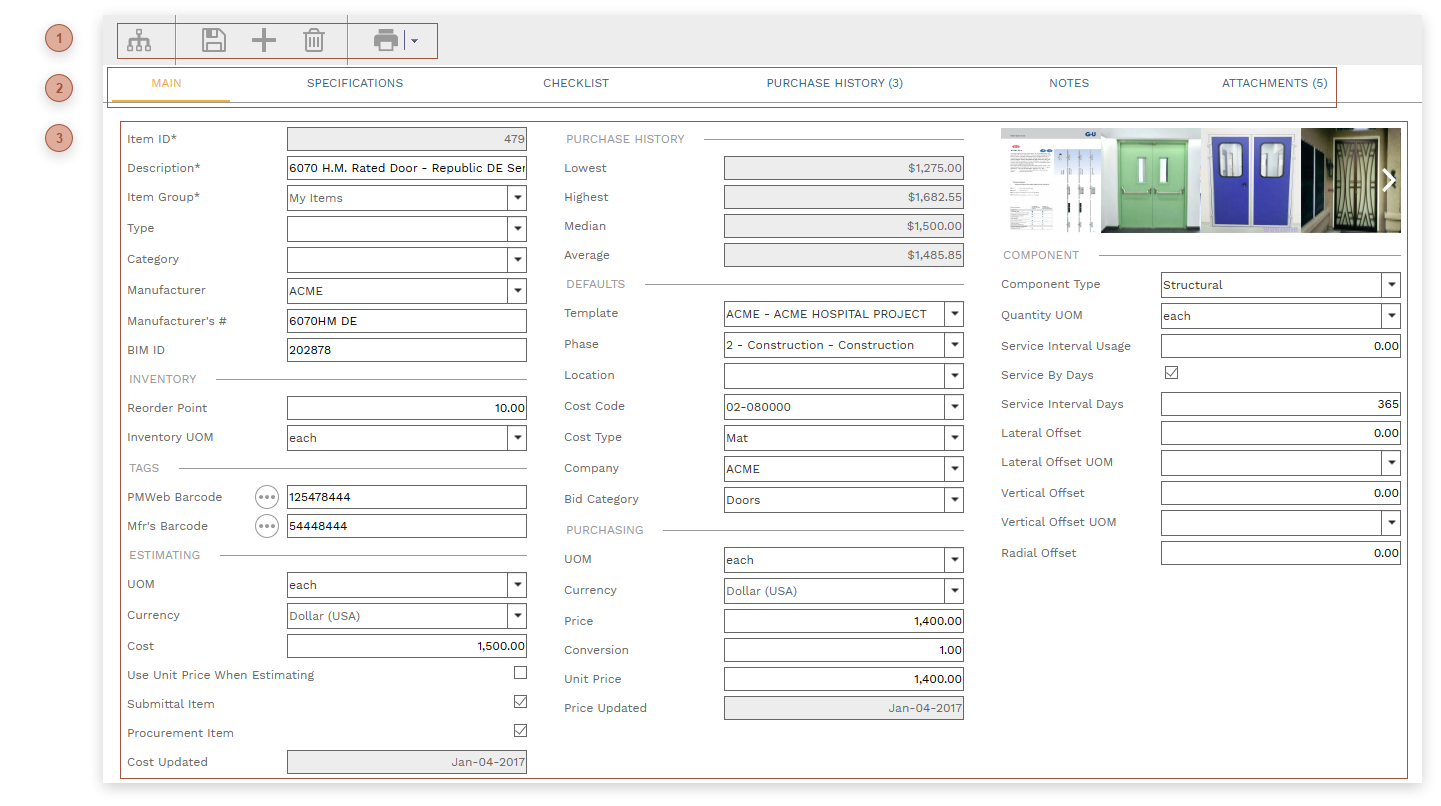


 RECORD TABS
Lowest Price - highlighted in green
Median Price - highlighted in yellow
Highest Price - highlighted in red
All fields in the table are read only.
|
 HEADER FIELDS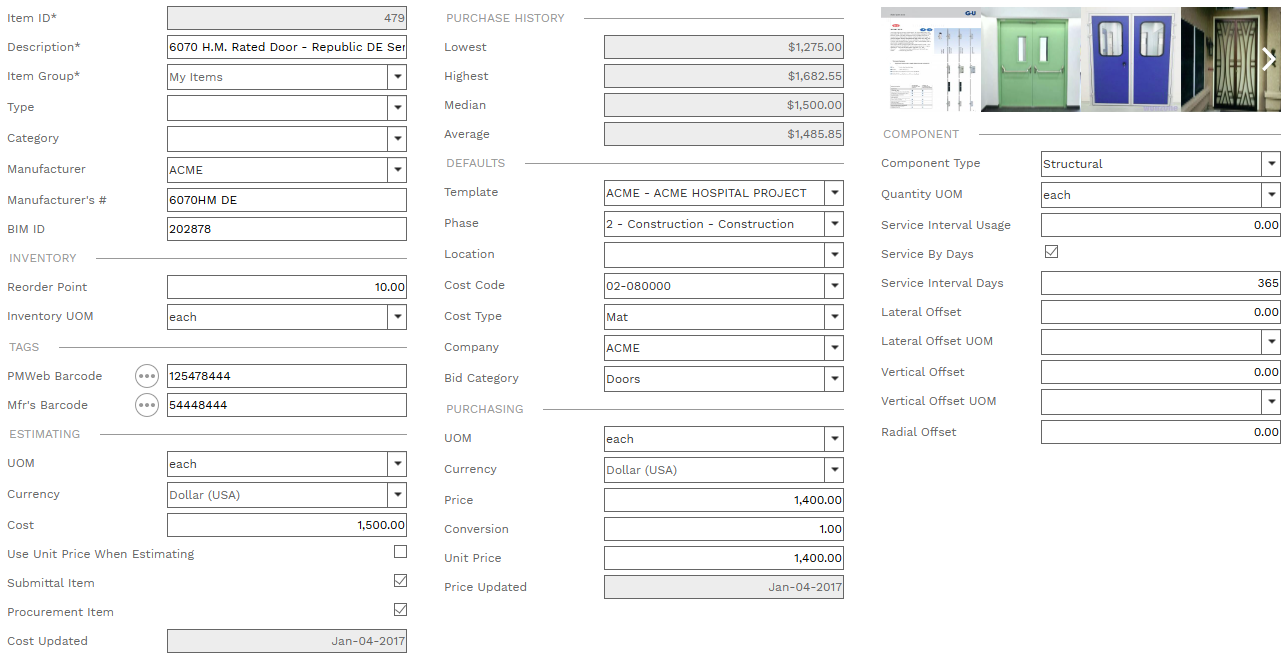
Reorder Point - Note the smallest amount of the item to be held in inventory before it needs to be reordered.
Inventory UOM - The unit of measure in which the item is held in inventory.
UOM Field -The default unit of measure when the item is used in an estimate record. UOM Field
Cost Field - The default cost of the item when it is used in an estimate.
Use Unit Price... Checkbox - Normally, the Cost is used as the default when the item is used in an estimate. If this box is checked, the Price field is used as the default instead.
Submittal Item Checkbox - If this box is checked, when the item is used in an estimate the Submittal field is checked by default. See Estimates for more information about the "Sbtl" field.
Procurement Item Checkbox - Check this box to note that it is procured
Cost Updated - Read only. The date that the Cost field was last edited and saved.
UOM Field -The default unit of measure when the item is used in a purchasing record. UOM Field
Price Field - The total price of the item as it is typically purchased
Conversion Field - Use this field to note the conversion factor between the total price of the item and the unit price.
Unit Price Field - The default unit price of the item when it is used in a purchasing record.
Price Updated Field - Read only. The date that the Unit Price field was last edited and saved.
|