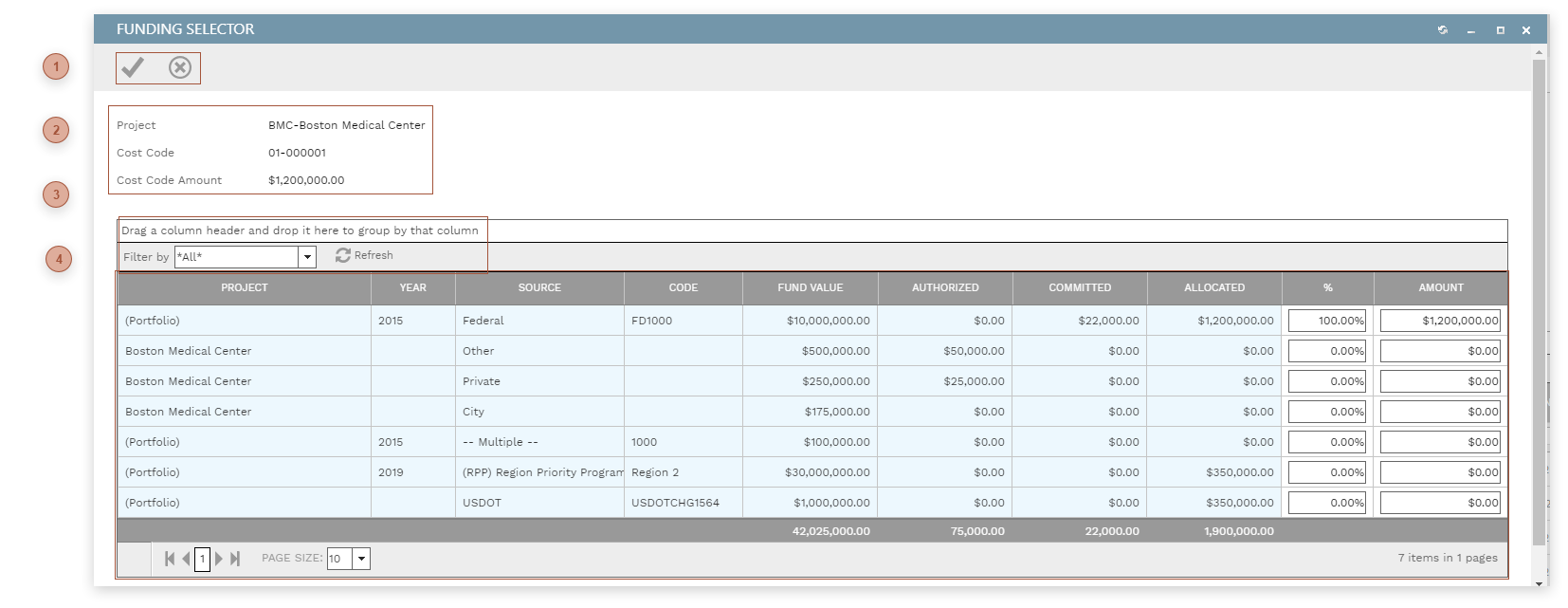
This dialog displays lines from Funding Records at the level selected in the Filter by Dropdown. Use this dialog to apply some or all of the available funding to a line item in a record.
 DIALOG TOOLBAR |
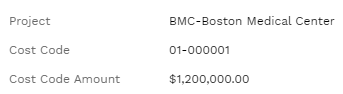
 RECORD LINE FIELDSRead only. Information from the record line being funded.
|
 FUNDING TABLE TOOLBARUse this dropdown to filter the lines in the table. Select:
-
*All* - All Funding Records which have an unallocated balance
-
(Portfolio) - Funding Records which have an unallocated balance where "Funding by" is Portfolio and the selected project matches the current record
-
(Program) - Funding Records which have an unallocated balance where "Funding by" is Program and the selected program matches the current record
-
(Project) - Funding Records which have an unallocated balance where "Funding by" is Project and the selected project matches the current record
|
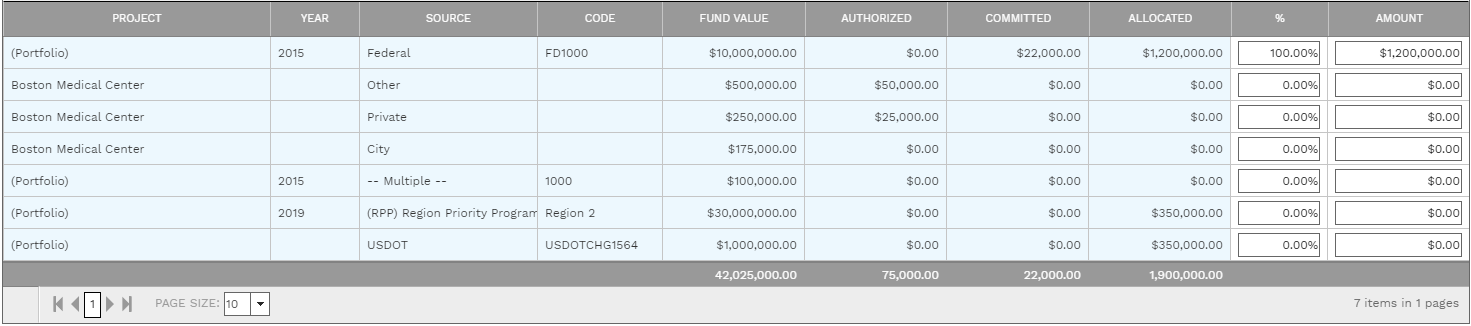
 FUNDING TABLE
Most of the fields in the table are read only. Editable fields include:
-
% Field - The percentage of the record line that should be funded by the Funding Request line - 0 to 100. If you edit this field, Amount is calculated as Cost Code Amount times %. -
Amount Field - The currency value of the record line that should be funded by the Funding Request line. If you edit this field, % is calculated as Amount divided by Cost Code Amount times 100.
|
|