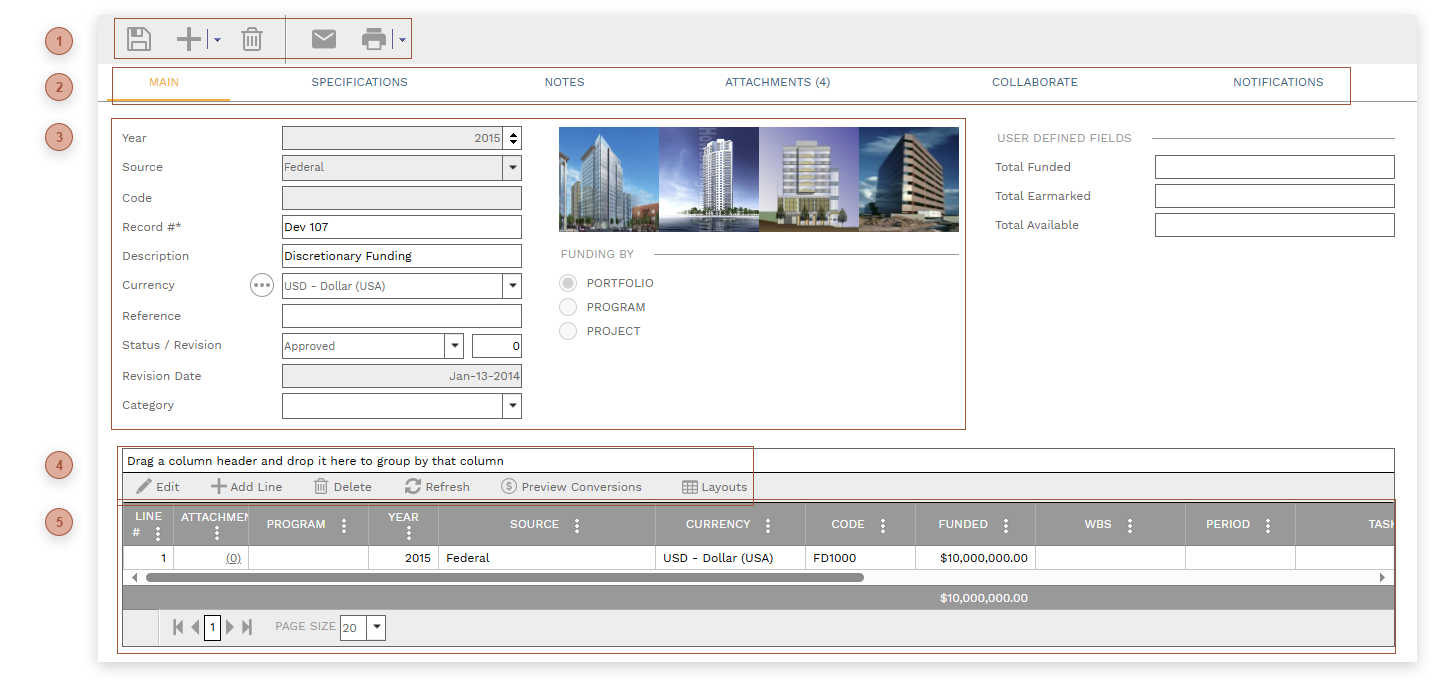
HEADER TOOLBAR
|
 RECORD TABS
|
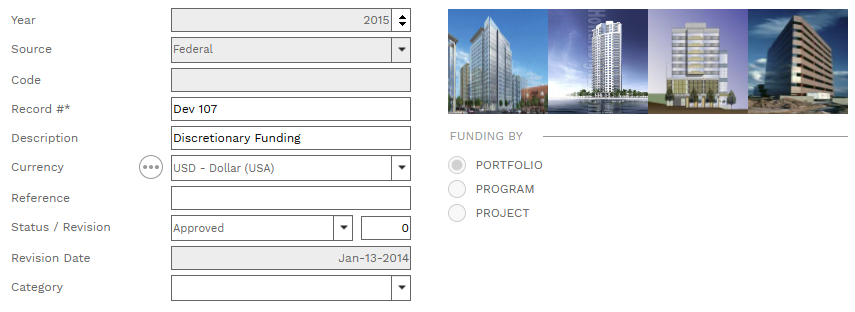
 HEADER FIELDS
-
-
-
-
Record # Field - Required. An alphanumeric ID for the record.
-
-
-
-
-
Date Field - Read only. The date the record was created.
-
-
-
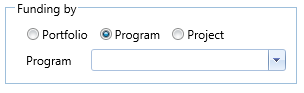
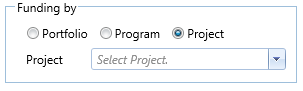
Funding By Radio Buttons - The choice you make here determines the levels of funding you can select in the table.
If you select "Portfolio" (the default) you can select any program and project in the table.
If you select "Program" a dropdown list appears and you are required to select a program. All lines that you add to the table will be locked at that program and you will only be able to select projects within it.
If you select "Project" a dropdown list appears and you are required to select a project. All lines that you add to the table will be locked at that project.
If any lines exist in the table the Funding by section is locked.
|
 DETAILS TABLE TOOLBAR
|
 DETAILS TABLE
-
-
-
Program Field - This field is locked unless "Portfolio" is selected in the Funding By Section in the header.
-
Project Field - The choices in the dropdown list are filtered by the selected program. This field is locked if a project is selected in the Funding By Section in the header.
-
-
-
-
-
Funded Field - Enter the total amount of funding for the line.
-
-
-
-
-
-
-
-
Closed Checkbox - Default is unchecked. If checked, the line item can no longer be applied to records.
-
Funding Ledger ID - For future use.
|
|