Contract change orders amend Prime Contracts and, therefore, revenue on a project. Line items can be created in the Contract COs page or they can be linked to Change Events. Approved contract change orders can be linked to Requisitions.
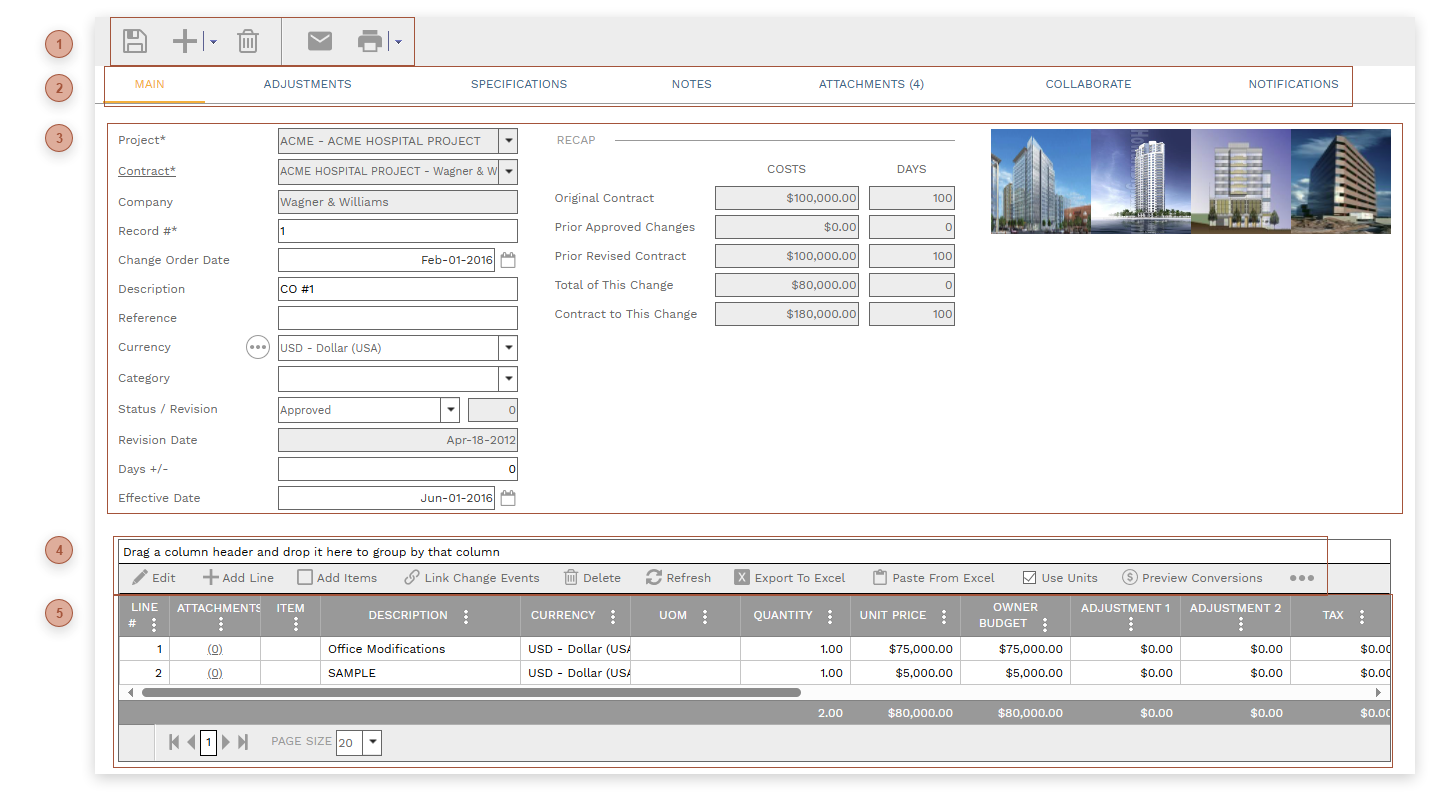
 HEADER TOOLBAR
|
 RECORD TABS
|
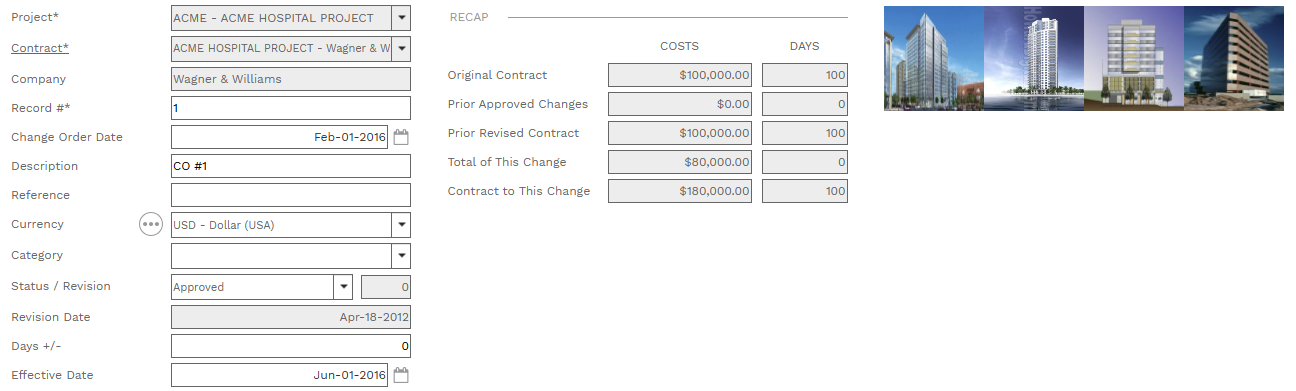
 HEADER
-
-
-
Company Field - Read only. The company linked to the contract -
Record # - Required. An alphanumeric ID for the record. -
-
-
-
-
-
-
Date Field - Read only. The date the record was created.
-
Days +/- Field - A positive or negative number field
-
-
Original Contract Amount Fields - Read only. The grand total of the Total Price field on the selected contract and the Days field on the selected contract.
-
Prior Approved Changes Fields - Read only. The grand total of the Total Price field and the sum of the Days field on all other contract COs for the selected contract with a status of "Approved". -
Prior Revised Contract Fields - Read only. Original Contract Amount plus Prior Approved Changes. -
Total of This Change Fields - Read only. The grand total of Total Price and Days +/- from this contract change order. -
Contract to This Change Fields - Read only. Prior Revised Contract plus Total Of This Change. -
|
 DETAILS TABLE TOOLBAR
|
 DETAILS TABLE
|
|