
BI Reports Preview Dialog
This dialog:
-
Shows which Business Intelligence (BI) reports are associated with a record type
-
Shows a thumbnail preview of each report with the record's data in it
-
Allows you to select an output format for the selected report
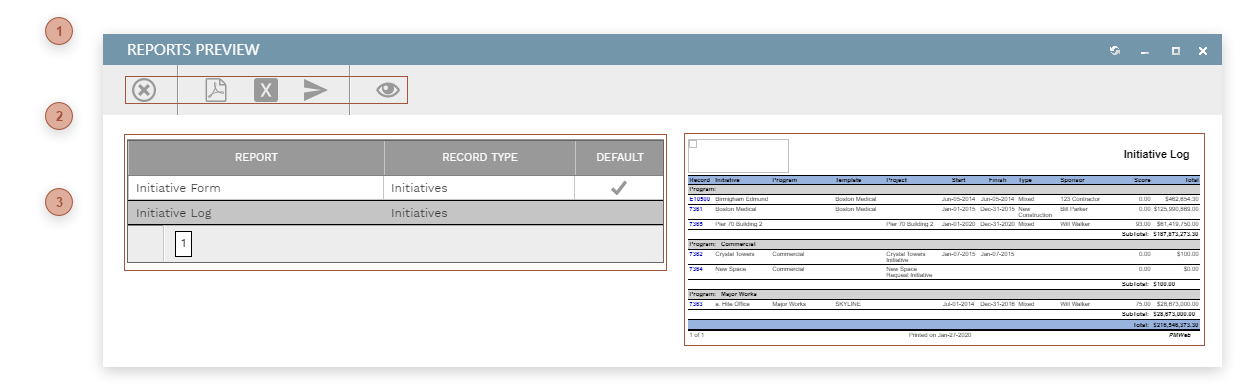
 TOOLBAR DIALOG
|
 REPORTS TABLE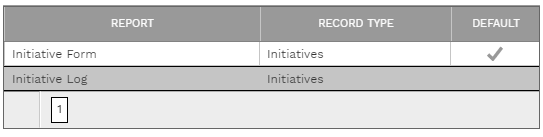 This table shows all of the BI reports that are associated with the currently loaded record type. To appear in this table the record type must be selected in the Printing Tab of the BI Reporting page. Click a line to preview the report in the preview pane.
|
 PREVIEW PANE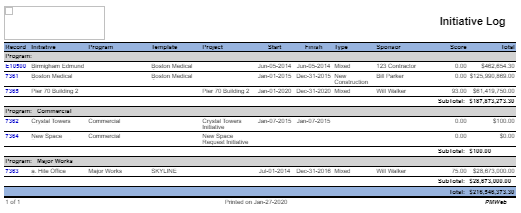 When you click a line in the reports table a thumbnail preview of the report appears in this pane, with data from the current record loaded in the report. Note that some reports can't be previewed here because one or more parameters need to be selected first. Click the report viewer button to open the report in the Report Viewer Dialog.
|