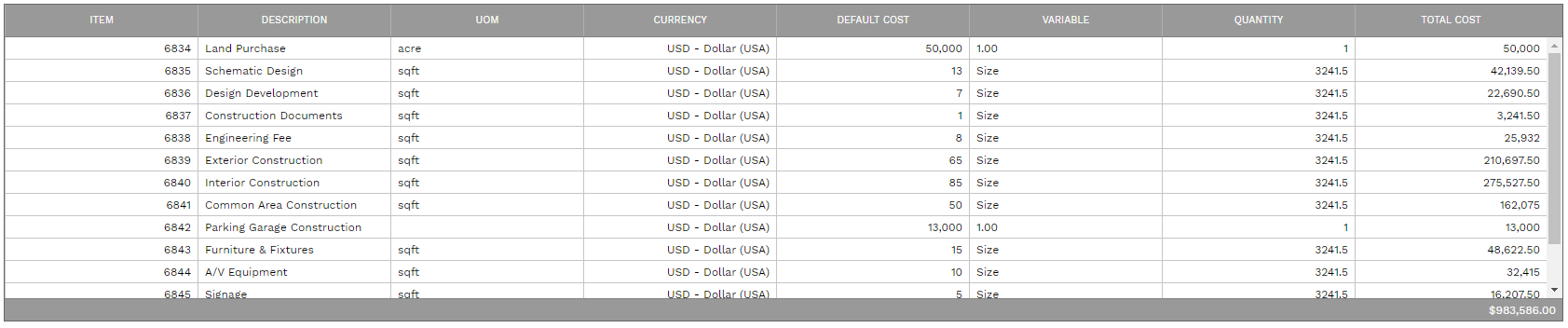
Assemblies Dialog
This dialog is used to calculate quantities for all of the items in Assemblies and then add them to a record with a single click. To use the dialog:
-
Select an assembly
-
Enter a quantity multiplier
-
Select defaults that will apply to items that do not already have them
-
Enter the variables
-
Click the Calculate button
-
Click the Save to Record or Save and Close button
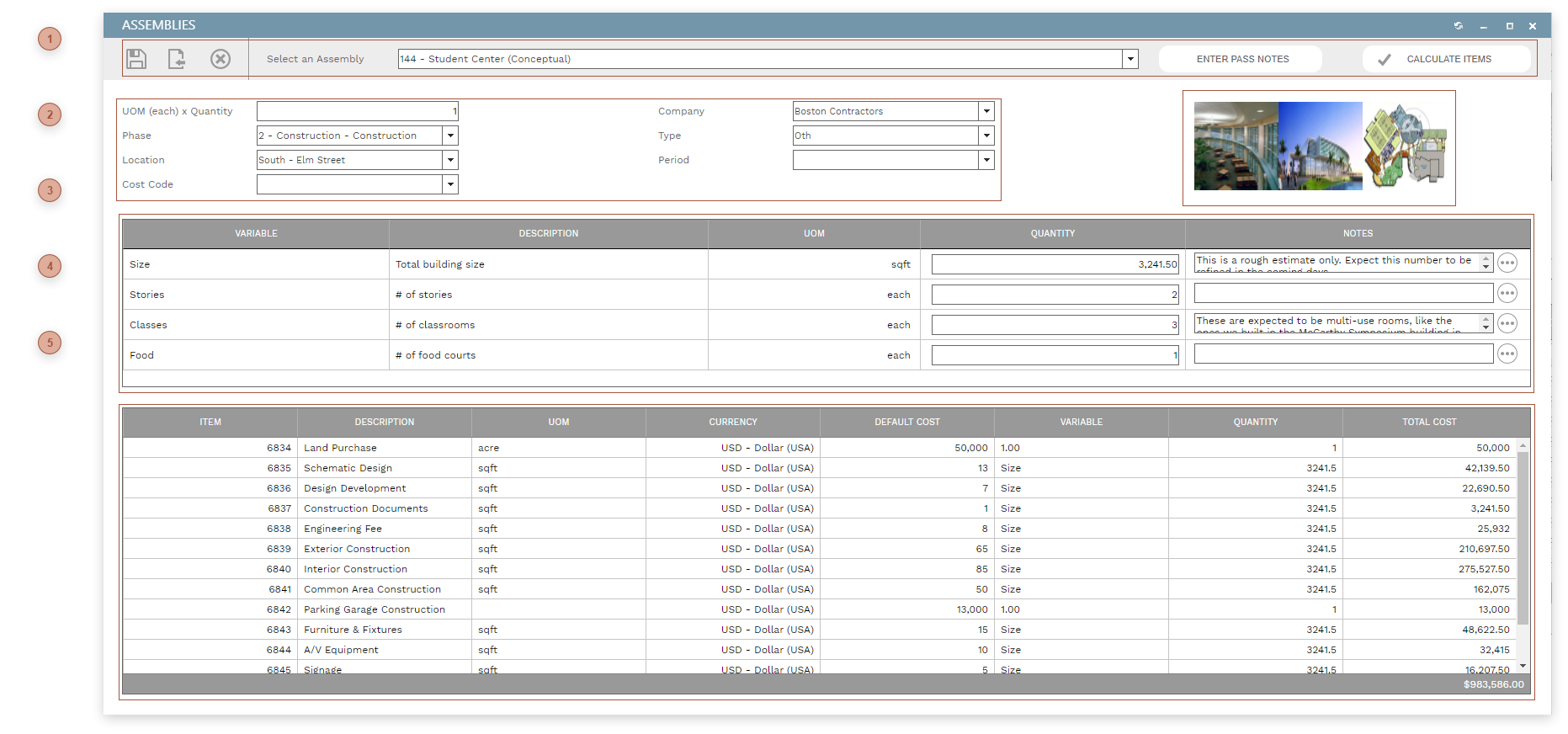
 DIALOG TOOLBAR Select Assembly Dropdown - Select an assembly to load it into the dialog
After entering defaults and variables, click this button to quantify and cost items in the assembly. Click the Enter Pass Notes button to open a memo dialog in which you can enter notes about this pass of the assembly. These notes can be viewed after the assembly has been saved to the estimate by clicking the pass hyperlink in the Assembly Field.
|


 IMAGE GALLERY This section displays the images attached to the assembly (see Assemblies) that have "Display" checked.
|
 VARIABLES TABLE This table will contain the list of run time variables that are required by the assembly. See Assemblies for information about defining variables. Type a number in each Quantity field. Click the helper button next to the Notes field to open a memo dialog in which you can enter notes and assumptions about the parameter quantity for this pass of the assembly. These notes can be viewed after the assembly has been saved to the estimate by clicking the pass hyperlink in the Assembly Field.
|