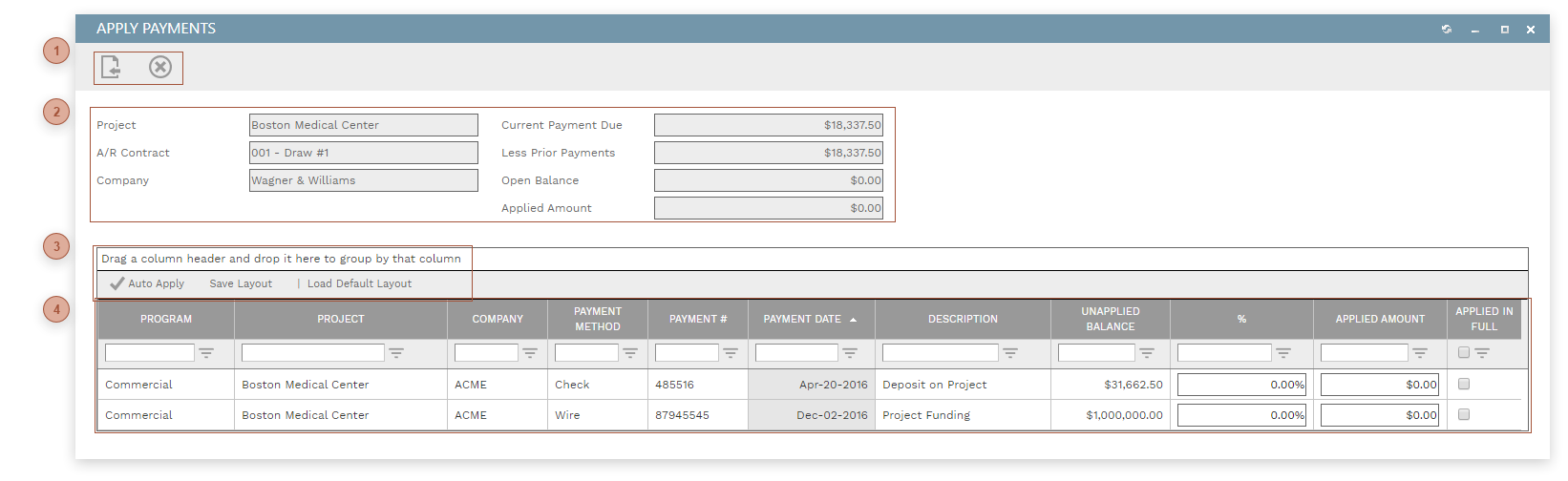
Apply Payments Dialog
Use this dialog to view payments that are available to be applied and then apply all or some of those payments to the current record. To be available to be applied to a record a payment must:
-
Be of the correct classification - A/R or A/P
-
Have a status of "Approved"
-
Have a balance due greater than "0"
-
Not be marked as applied in full
Payments can be applied in the dialog using one of three methods:
-
Clicking the Auto Apply Button
-
Entering a percentage in the % field on one or more lines
-
Entering a currency value in the Applied Amount field on one or more lines
The applied amount of a payment line cannot be greater than its unapplied balance and the sum of applied amount in the table cannot be greater than the open balance of the record.
This topic shows available when the Apply Payments dialog is opened from an invoice. Fields available may be slightly different when the dialog is opened from other record types but the basic functionality si always the same.